<h1 style="font-size:2.6rem;line-height:1.1;">Chart gallery</h1>

**One data model, many ways to see it.** Twenty 2D charts and twelve 3D charts, captured from the chart demonstration Apps using synthetic data.

Select a chart to inspect its labels at full resolution. These examples show combinations of marks, layers, and layouts—not a limit on possible chart styles.

[2D charts](#2d-charts) · [3D charts](#3d-charts)

<h2 id="2d-charts" style="font-size:2rem;line-height:1.2;margin:1.5em 0 0.65em;">2D charts</h2>

[Trends](#trends-and-comparisons) · [Ranges and distributions](#ranges-and-distributions) · [Polar charts](#polar-charts) · [Maps and relationships](#maps-and-relationships)

<h3 id="trends-and-comparisons" style="font-size:1.5rem;line-height:1.2;margin:1.5em 0 0.65em;">Trends and comparisons</h3>

<div style="display:grid;grid-template-columns:repeat(auto-fit,minmax(min(100%,360px),1fr));gap:24px;align-items:start;">
<figure style="margin:0;min-width:0;">
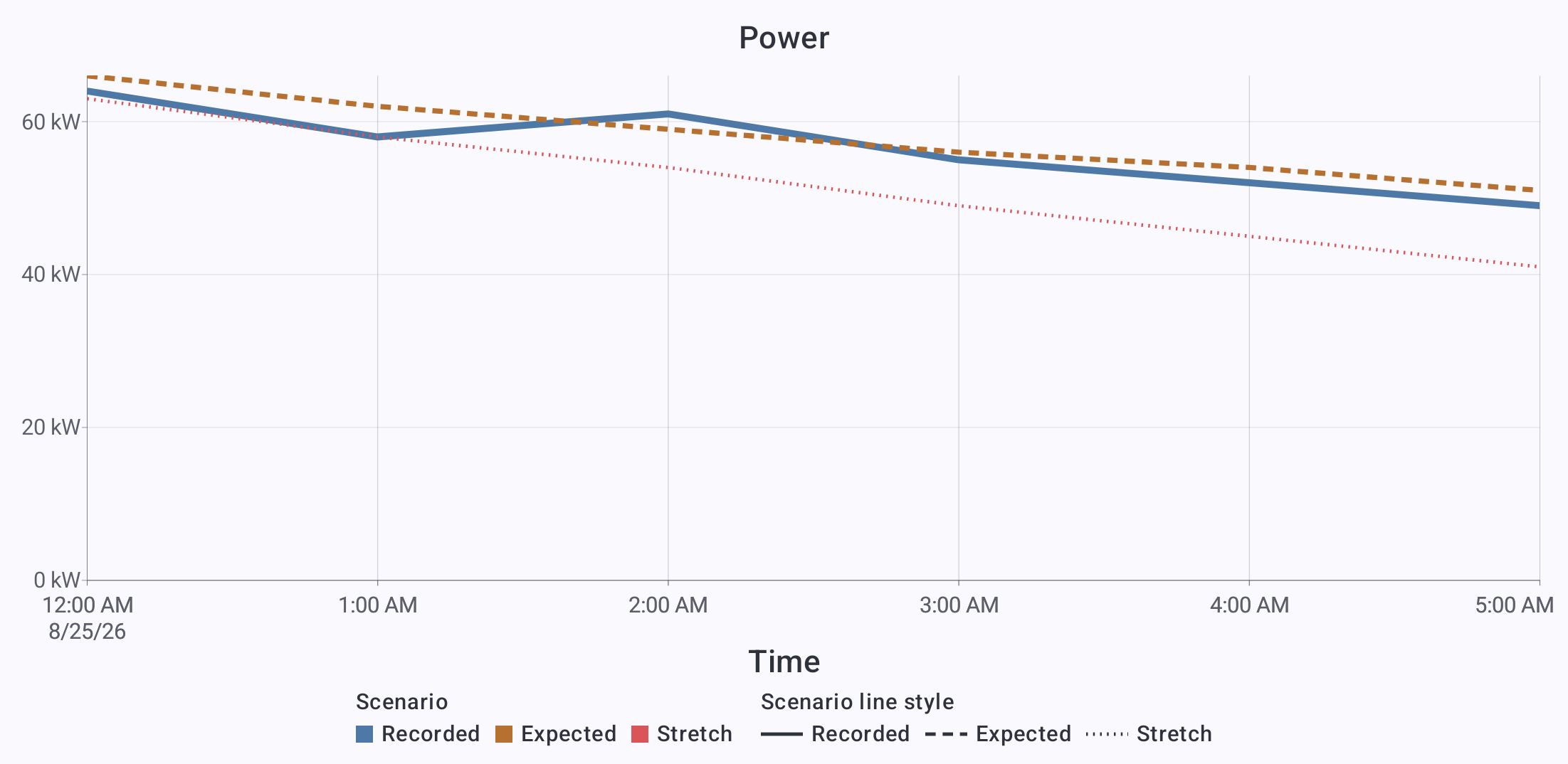
<a href="../assets/screenshots/chart-gallery/line.png"><img src="../assets/screenshots/chart-gallery/line.png" width="2203" height="1074" loading="lazy" alt="Line: Compare recorded, expected, and stretch power demand." style="display:block;width:100%;height:auto;border:1px solid GrayText;border-radius:8px;box-sizing:border-box;"></a>
<figcaption style="margin-top:8px;"><strong>Line</strong> · Compare recorded, expected, and stretch power demand.</figcaption>
</figure>
<figure style="margin:0;min-width:0;">
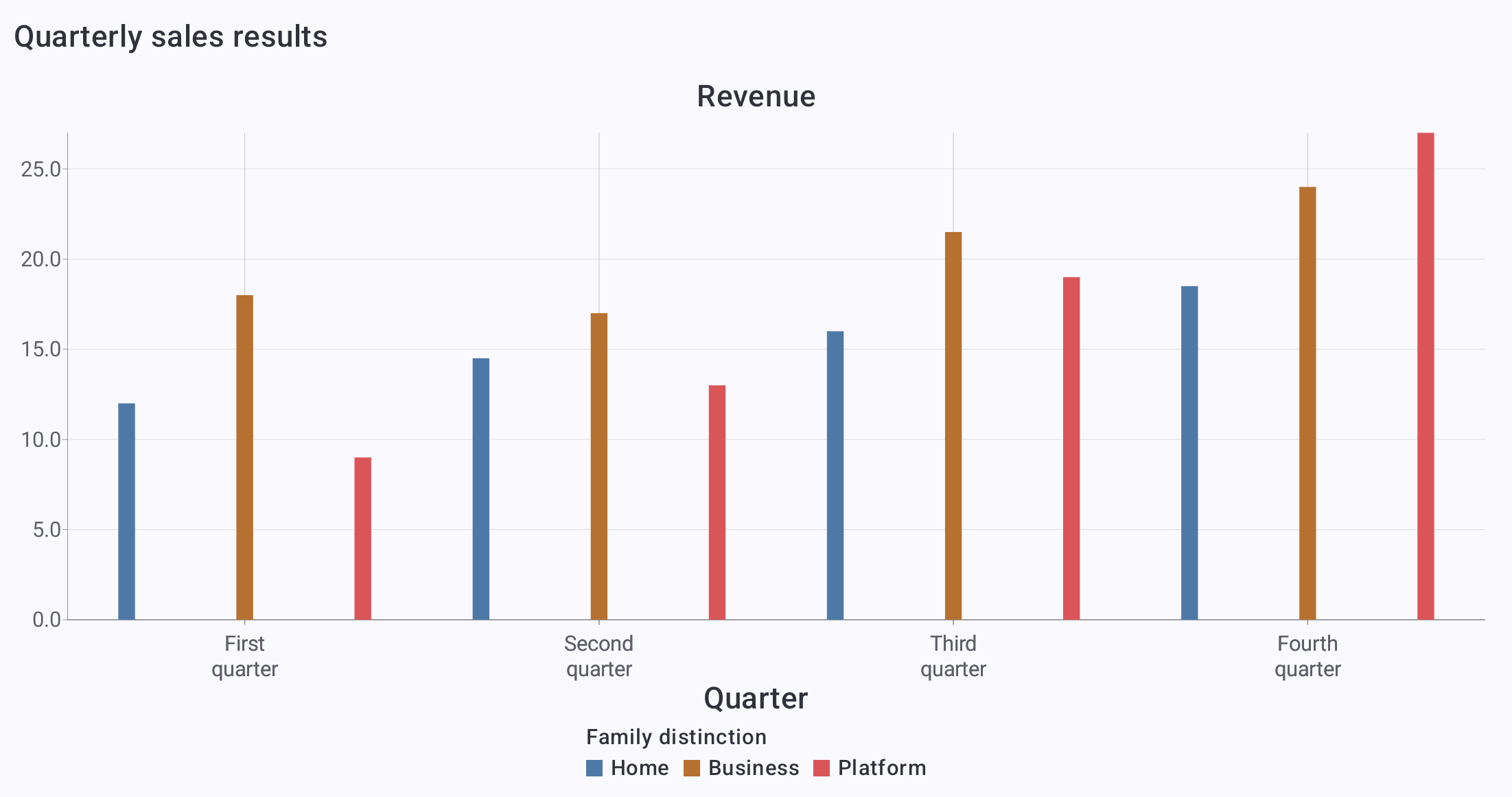
<a href="../assets/screenshots/chart-gallery/grouped-bars.png"><img src="../assets/screenshots/chart-gallery/grouped-bars.png" width="2203" height="1161" loading="lazy" alt="Grouped bars: Compare product-family revenue across quarters." style="display:block;width:100%;height:auto;border:1px solid GrayText;border-radius:8px;box-sizing:border-box;"></a>
<figcaption style="margin-top:8px;"><strong>Grouped bars</strong> · Compare product-family revenue across quarters.</figcaption>
</figure>
<figure style="margin:0;min-width:0;">
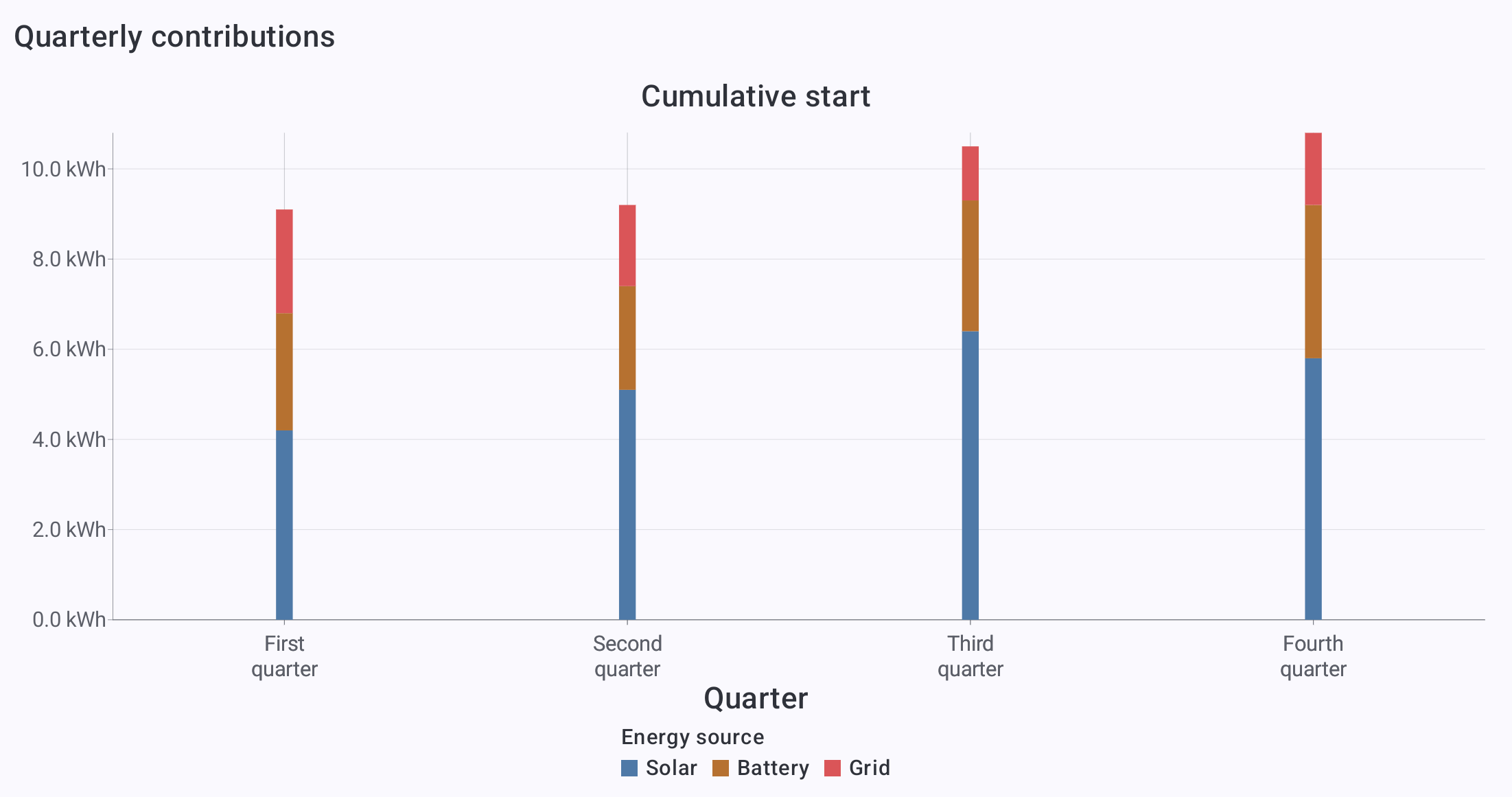
<a href="../assets/screenshots/chart-gallery/stacked-bars.png"><img src="../assets/screenshots/chart-gallery/stacked-bars.png" width="2203" height="1161" loading="lazy" alt="Stacked bars: Show how solar, battery, and grid contributions form a total." style="display:block;width:100%;height:auto;border:1px solid GrayText;border-radius:8px;box-sizing:border-box;"></a>
<figcaption style="margin-top:8px;"><strong>Stacked bars</strong> · Show how solar, battery, and grid contributions form a total.</figcaption>
</figure>
<figure style="margin:0;min-width:0;">
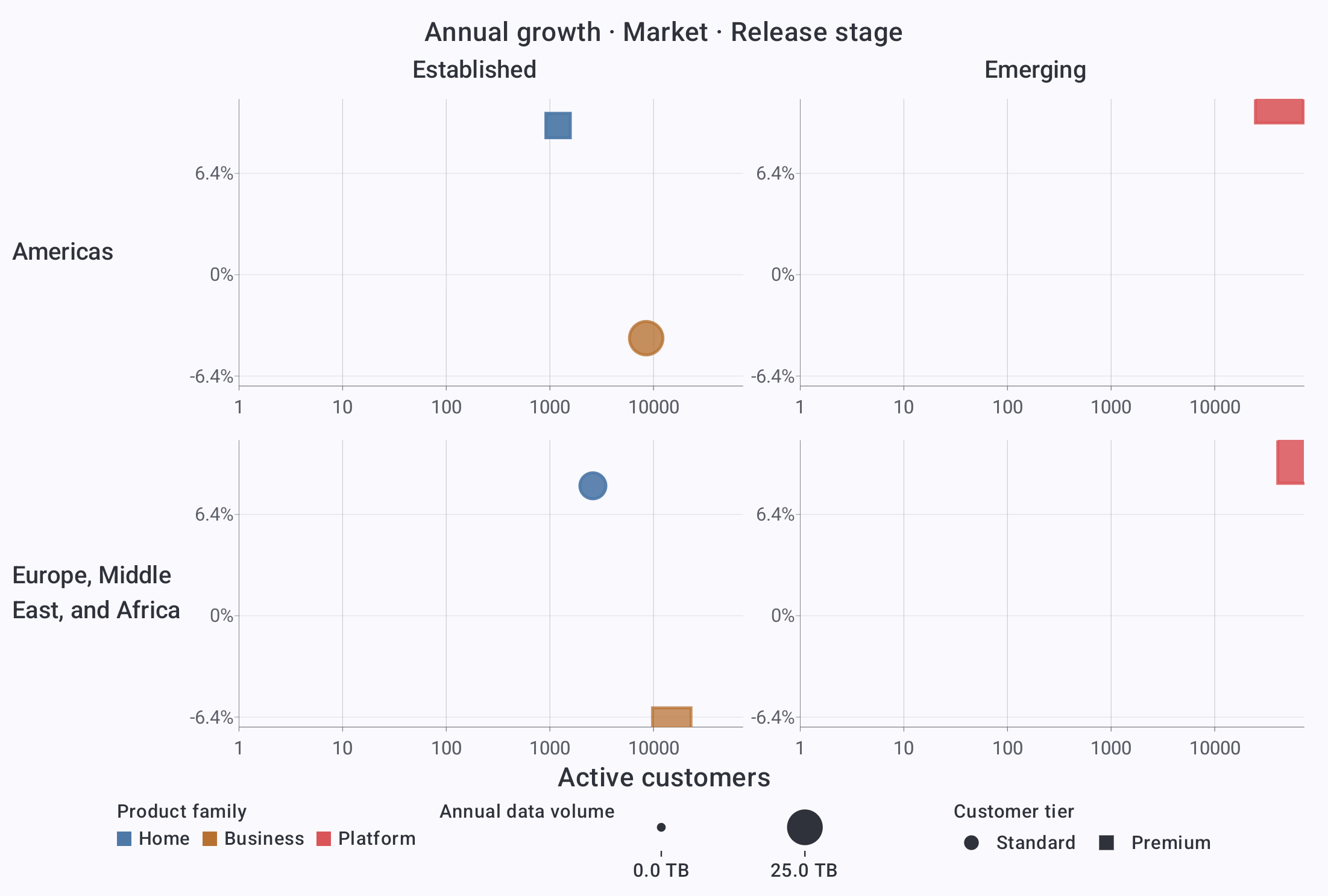
<a href="../assets/screenshots/chart-gallery/faceted-bubbles.png"><img src="../assets/screenshots/chart-gallery/faceted-bubbles.png" width="2203" height="1487" loading="lazy" alt="Faceted bubbles: Compare growth and reach across markets and release stages." style="display:block;width:100%;height:auto;border:1px solid GrayText;border-radius:8px;box-sizing:border-box;"></a>
<figcaption style="margin-top:8px;"><strong>Faceted bubbles</strong> · Compare growth and reach across markets and release stages.</figcaption>
</figure>
<figure style="margin:0;min-width:0;">
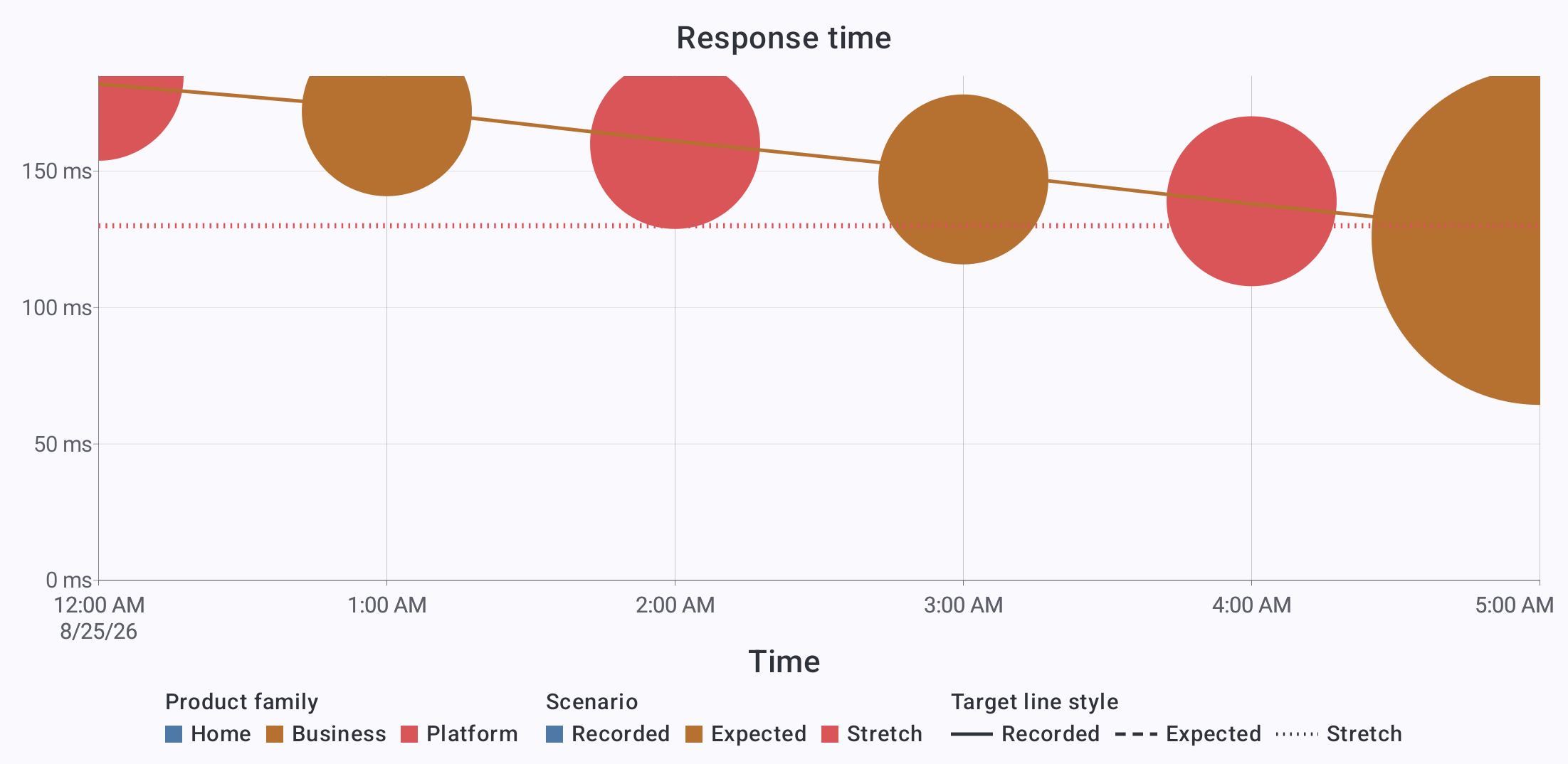
<a href="../assets/screenshots/chart-gallery/layered-performance.png"><img src="../assets/screenshots/chart-gallery/layered-performance.png" width="2203" height="1074" loading="lazy" alt="Layered performance: Combine bubbles, a trend line, and a target in one plot." style="display:block;width:100%;height:auto;border:1px solid GrayText;border-radius:8px;box-sizing:border-box;"></a>
<figcaption style="margin-top:8px;"><strong>Layered performance</strong> · Combine bubbles, a trend line, and a target in one plot.</figcaption>
</figure>
<figure style="margin:0;min-width:0;">
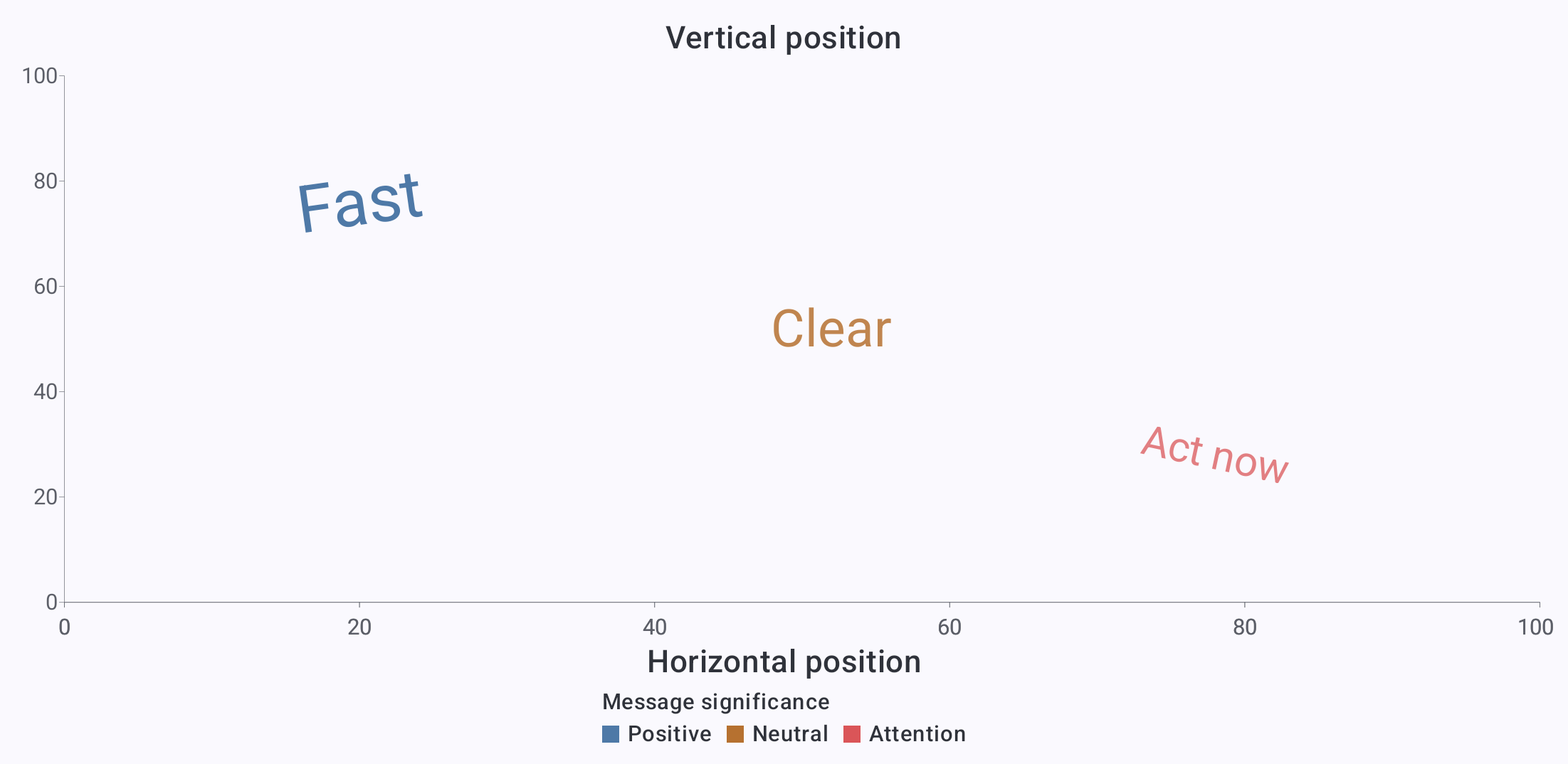
<a href="../assets/screenshots/chart-gallery/text-annotations.png"><img src="../assets/screenshots/chart-gallery/text-annotations.png" width="2203" height="1074" loading="lazy" alt="Text annotations: Place meaningful text with data-driven color, size, and angle." style="display:block;width:100%;height:auto;border:1px solid GrayText;border-radius:8px;box-sizing:border-box;"></a>
<figcaption style="margin-top:8px;"><strong>Text annotations</strong> · Place meaningful text with data-driven color, size, and angle.</figcaption>
</figure>
</div>

<h3 id="ranges-and-distributions" style="font-size:1.5rem;line-height:1.2;margin:1.5em 0 0.65em;">Ranges and distributions</h3>

<div style="display:grid;grid-template-columns:repeat(auto-fit,minmax(min(100%,360px),1fr));gap:24px;align-items:start;">
<figure style="margin:0;min-width:0;">
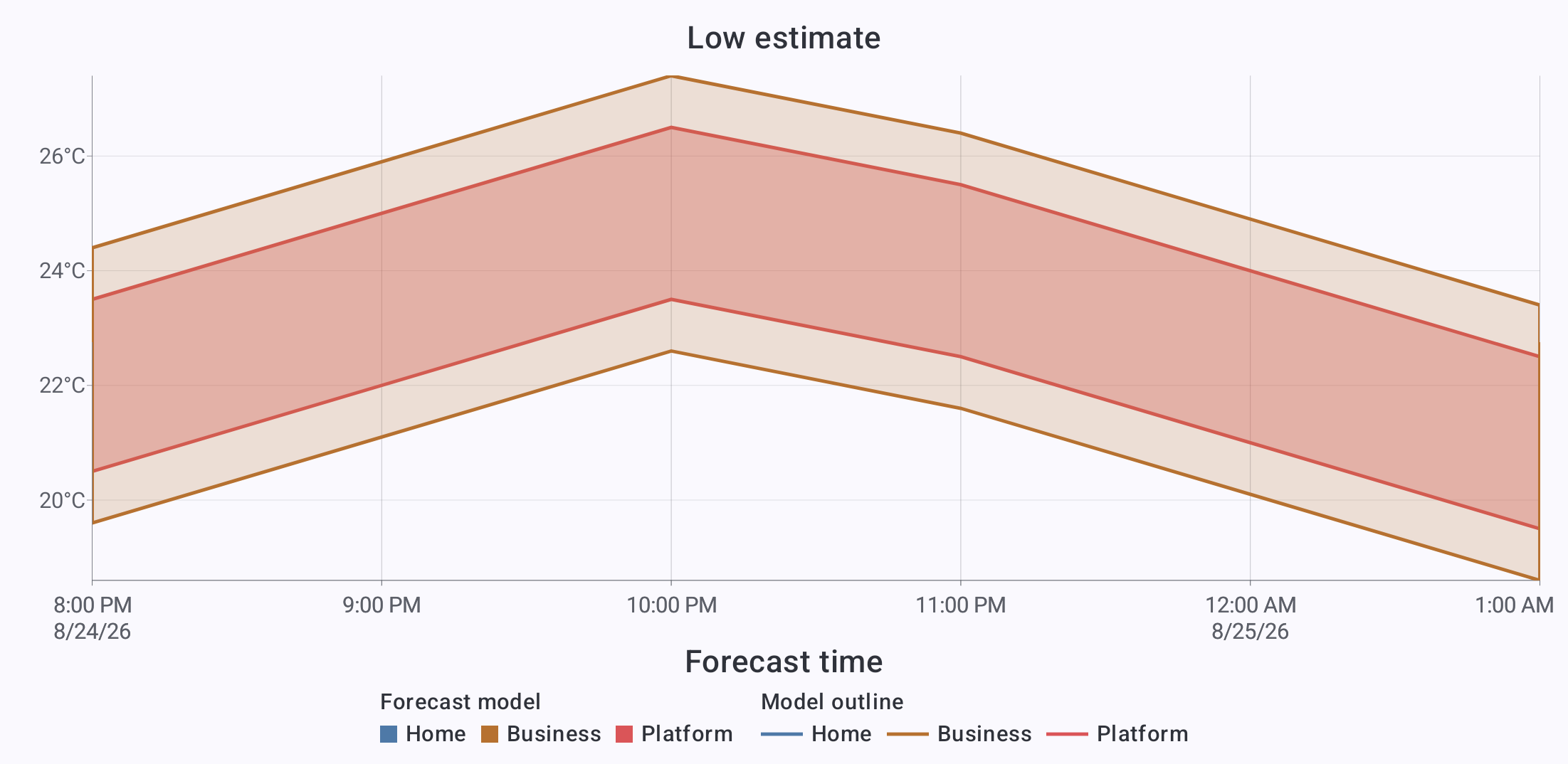
<a href="../assets/screenshots/chart-gallery/forecast-ranges.png"><img src="../assets/screenshots/chart-gallery/forecast-ranges.png" width="2203" height="1074" loading="lazy" alt="Forecast ranges: Compare low-to-high temperature bands over time." style="display:block;width:100%;height:auto;border:1px solid GrayText;border-radius:8px;box-sizing:border-box;"></a>
<figcaption style="margin-top:8px;"><strong>Forecast ranges</strong> · Compare low-to-high temperature bands over time.</figcaption>
</figure>
<figure style="margin:0;min-width:0;">
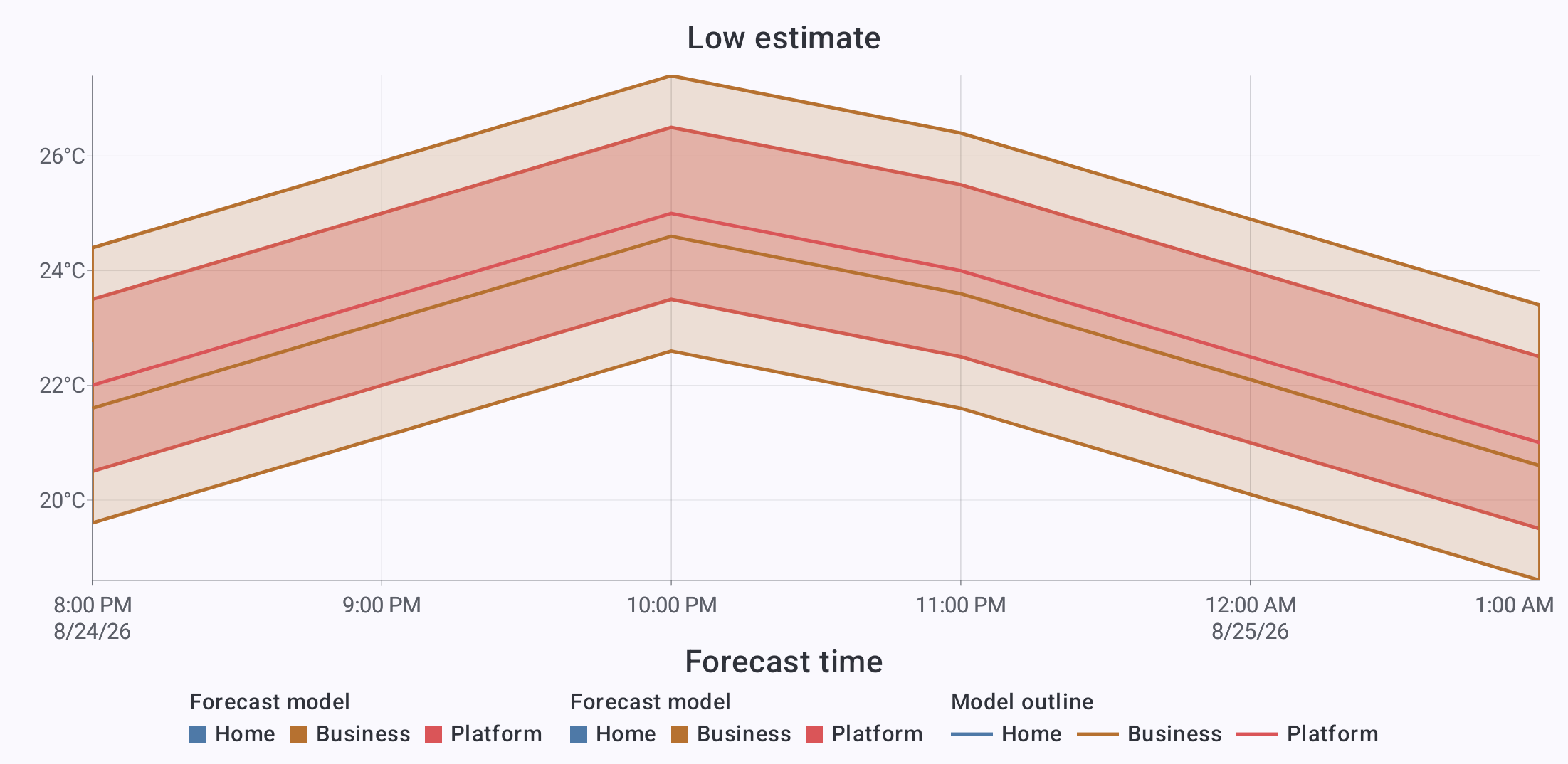
<a href="../assets/screenshots/chart-gallery/confidence-bands.png"><img src="../assets/screenshots/chart-gallery/confidence-bands.png" width="2203" height="1074" loading="lazy" alt="Confidence bands: Layer central estimates over forecast ranges." style="display:block;width:100%;height:auto;border:1px solid GrayText;border-radius:8px;box-sizing:border-box;"></a>
<figcaption style="margin-top:8px;"><strong>Confidence bands</strong> · Layer central estimates over forecast ranges.</figcaption>
</figure>
<figure style="margin:0;min-width:0;">
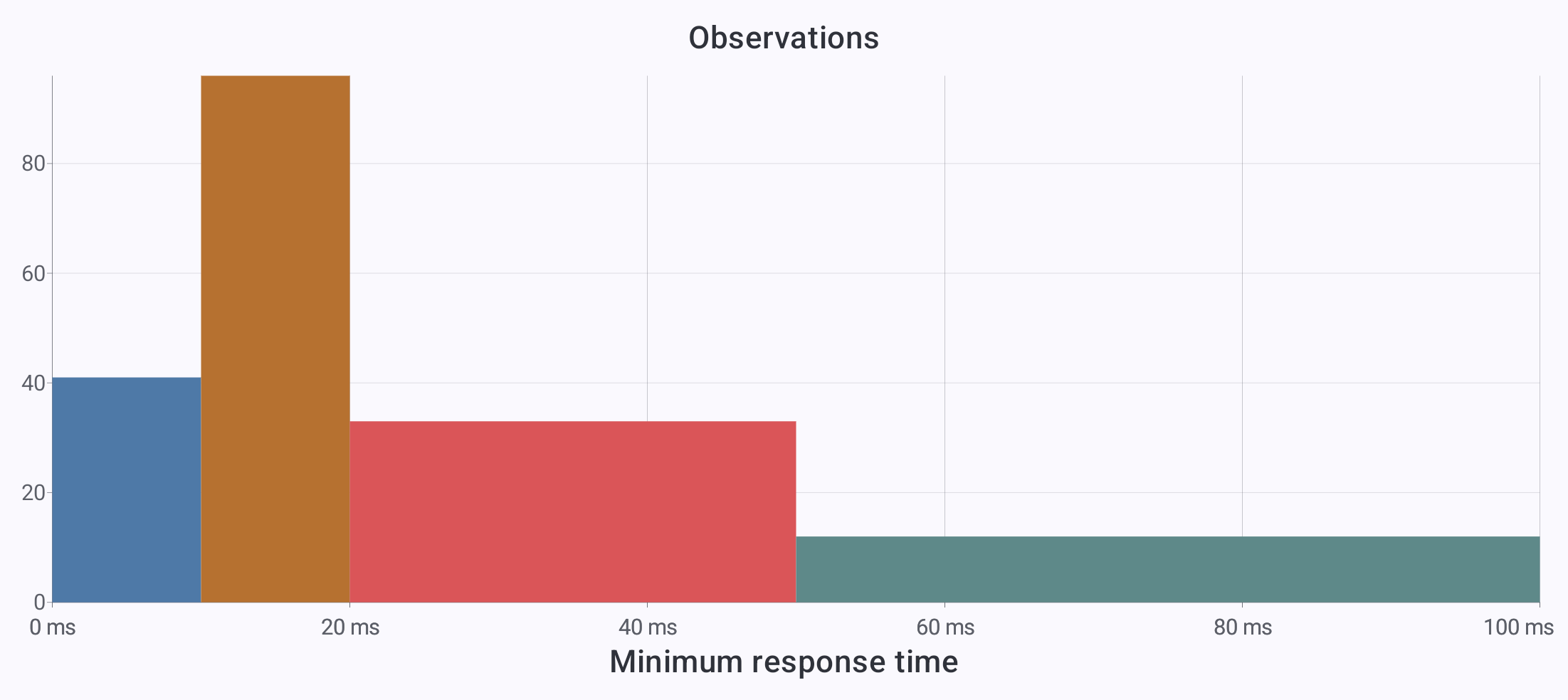
<a href="../assets/screenshots/chart-gallery/histogram.png"><img src="../assets/screenshots/chart-gallery/histogram.png" width="2203" height="984" loading="lazy" alt="Histogram: Group response times into intervals of different widths." style="display:block;width:100%;height:auto;border:1px solid GrayText;border-radius:8px;box-sizing:border-box;"></a>
<figcaption style="margin-top:8px;"><strong>Histogram</strong> · Group response times into intervals of different widths.</figcaption>
</figure>
<figure style="margin:0;min-width:0;">
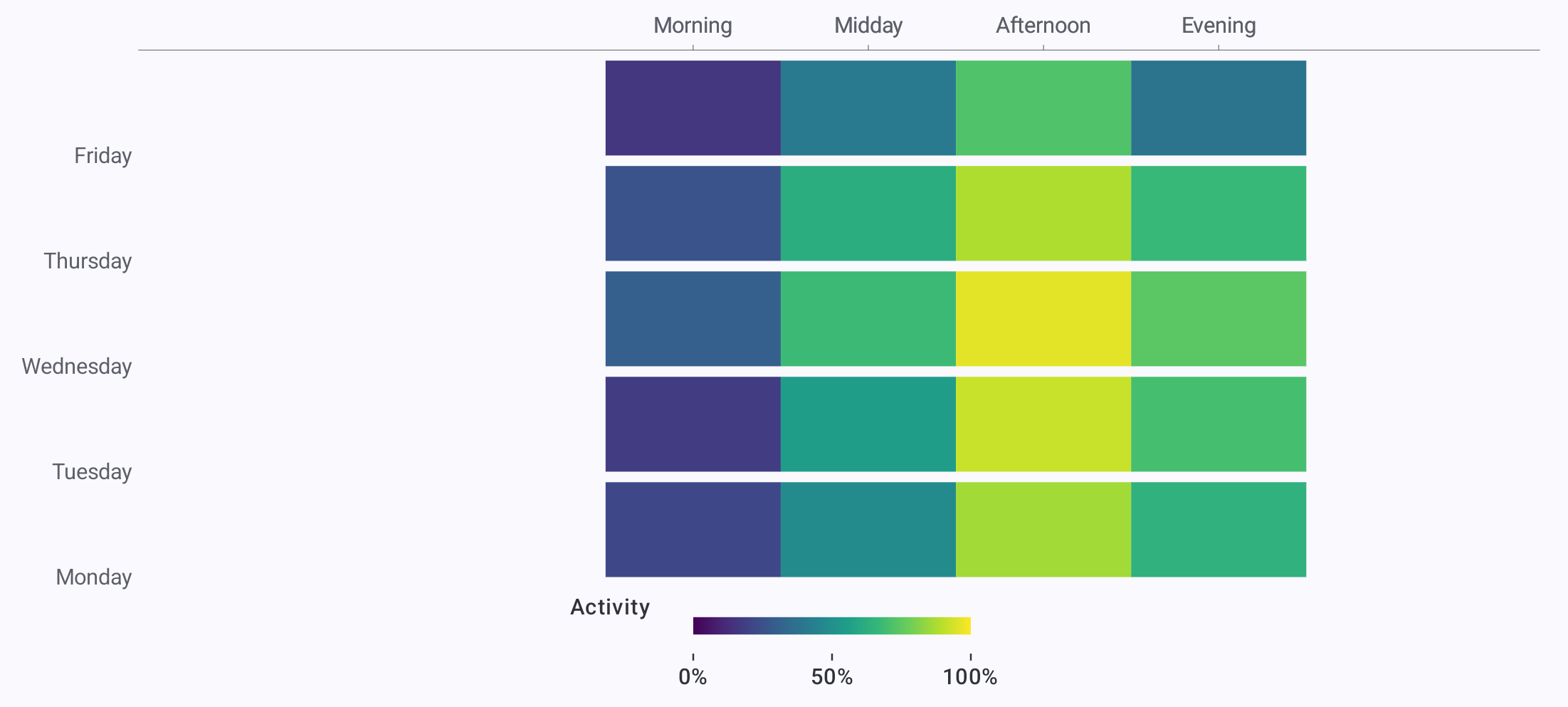
<a href="../assets/screenshots/chart-gallery/heatmap.png"><img src="../assets/screenshots/chart-gallery/heatmap.png" width="2203" height="993" loading="lazy" alt="Heatmap: Compare activity by weekday and time of day." style="display:block;width:100%;height:auto;border:1px solid GrayText;border-radius:8px;box-sizing:border-box;"></a>
<figcaption style="margin-top:8px;"><strong>Heatmap</strong> · Compare activity by weekday and time of day.</figcaption>
</figure>
<figure style="margin:0;min-width:0;">
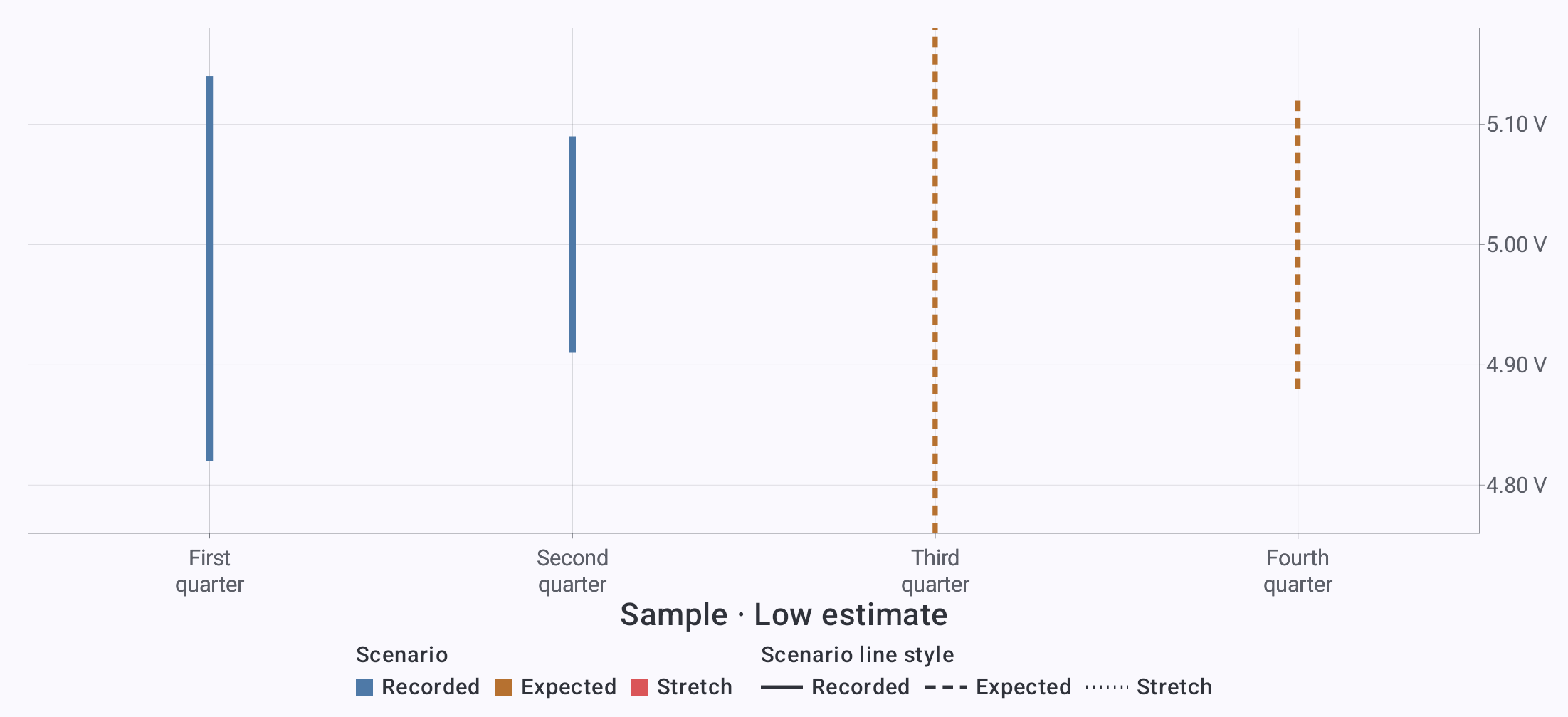
<a href="../assets/screenshots/chart-gallery/error-bars.png"><img src="../assets/screenshots/chart-gallery/error-bars.png" width="2203" height="1007" loading="lazy" alt="Error bars: Show the uncertainty interval for each electrical sample." style="display:block;width:100%;height:auto;border:1px solid GrayText;border-radius:8px;box-sizing:border-box;"></a>
<figcaption style="margin-top:8px;"><strong>Error bars</strong> · Show the uncertainty interval for each electrical sample.</figcaption>
</figure>
<figure style="margin:0;min-width:0;">
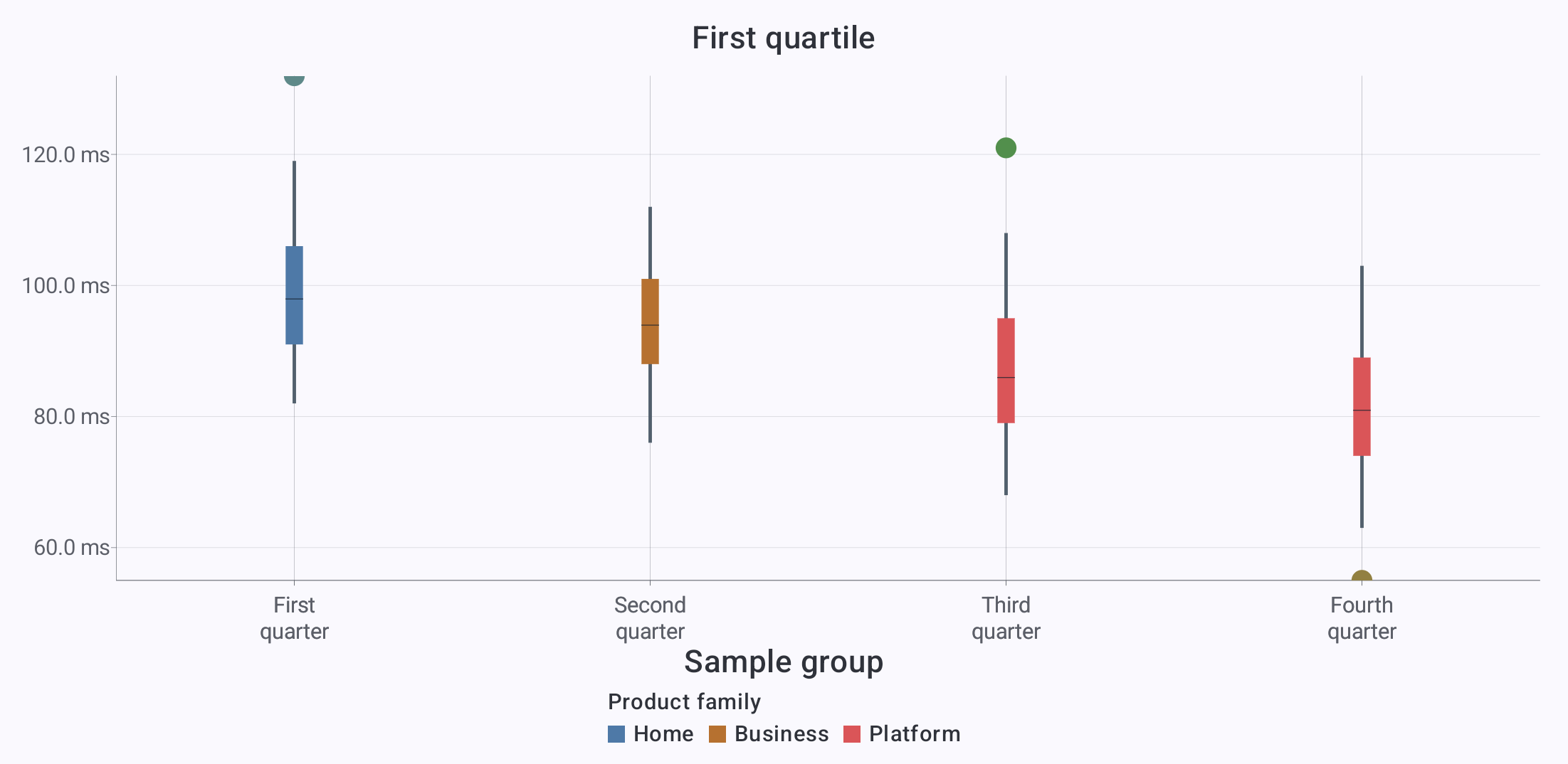
<a href="../assets/screenshots/chart-gallery/box-plot.png"><img src="../assets/screenshots/chart-gallery/box-plot.png" width="2203" height="1074" loading="lazy" alt="Box plot: Compare medians, quartiles, whiskers, and outliers." style="display:block;width:100%;height:auto;border:1px solid GrayText;border-radius:8px;box-sizing:border-box;"></a>
<figcaption style="margin-top:8px;"><strong>Box plot</strong> · Compare medians, quartiles, whiskers, and outliers.</figcaption>
</figure>
<figure style="margin:0;min-width:0;">
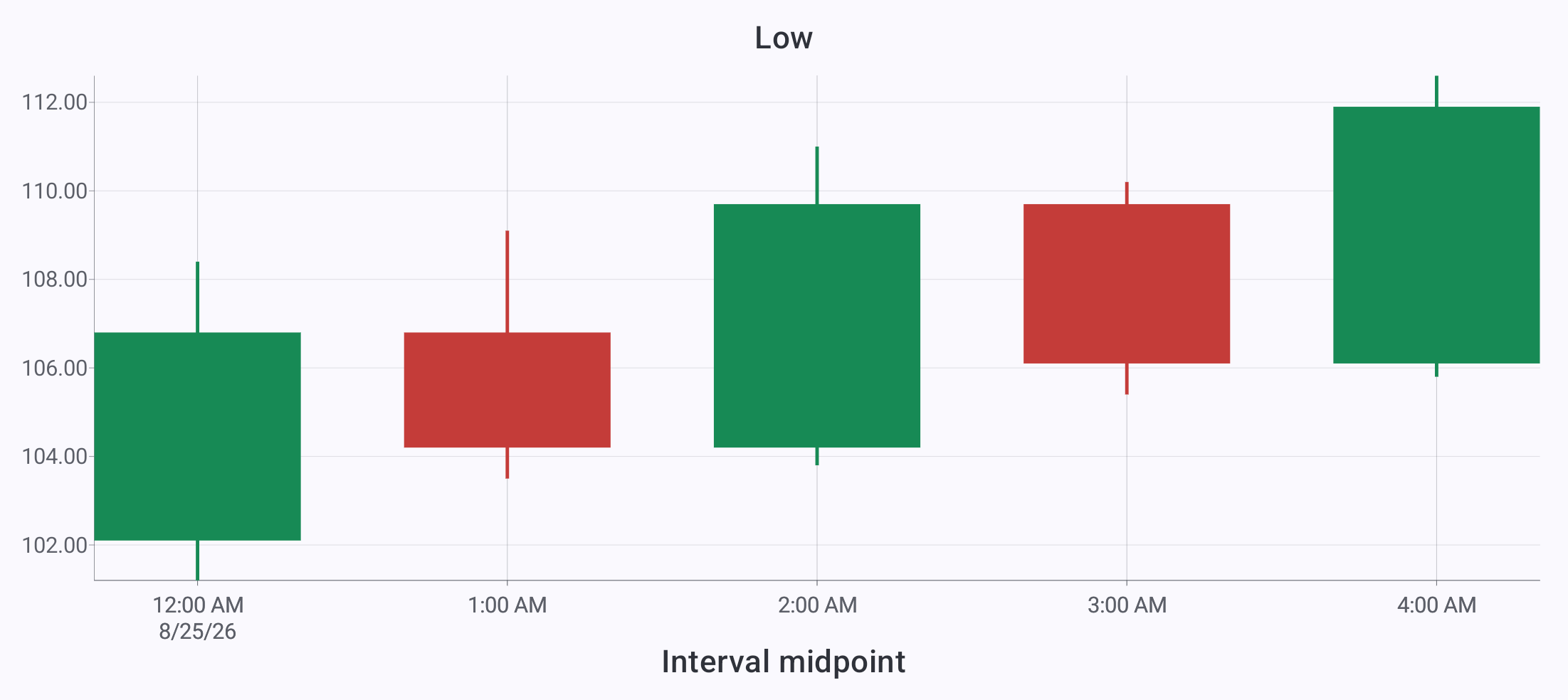
<a href="../assets/screenshots/chart-gallery/candlestick.png"><img src="../assets/screenshots/chart-gallery/candlestick.png" width="2203" height="984" loading="lazy" alt="Candlestick: Show opening, closing, high, and low prices." style="display:block;width:100%;height:auto;border:1px solid GrayText;border-radius:8px;box-sizing:border-box;"></a>
<figcaption style="margin-top:8px;"><strong>Candlestick</strong> · Show opening, closing, high, and low prices.</figcaption>
</figure>
<figure style="margin:0;min-width:0;">
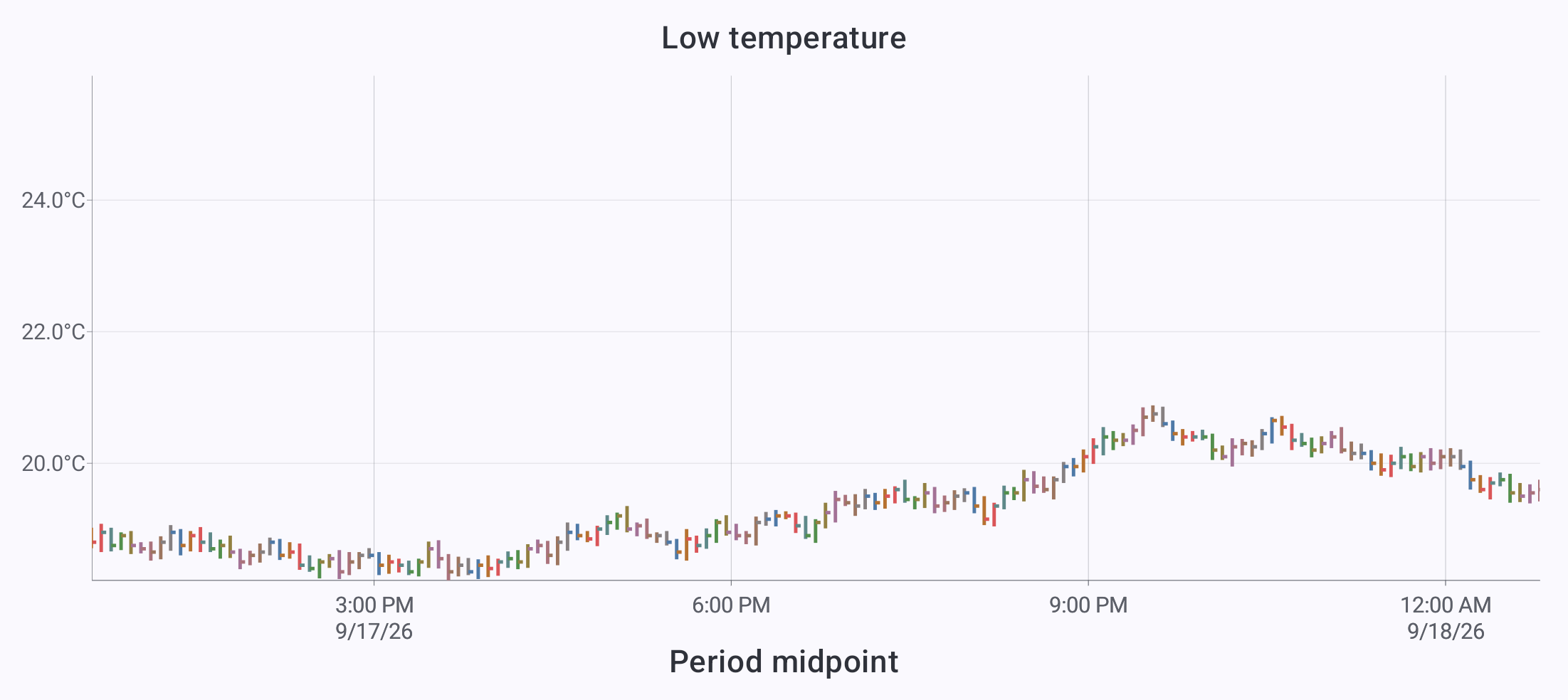
<a href="../assets/screenshots/chart-gallery/high-low-close.png"><img src="../assets/screenshots/chart-gallery/high-low-close.png" width="2203" height="984" loading="lazy" alt="High–low–close: Show each temperature interval’s range and final value." style="display:block;width:100%;height:auto;border:1px solid GrayText;border-radius:8px;box-sizing:border-box;"></a>
<figcaption style="margin-top:8px;"><strong>High–low–close</strong> · Show each temperature interval’s range and final value.</figcaption>
</figure>
</div>

<h3 id="polar-charts" style="font-size:1.5rem;line-height:1.2;margin:1.5em 0 0.65em;">Polar charts</h3>

<div style="display:grid;grid-template-columns:repeat(auto-fit,minmax(min(100%,360px),1fr));gap:24px;align-items:start;">
<figure style="margin:0;min-width:0;">
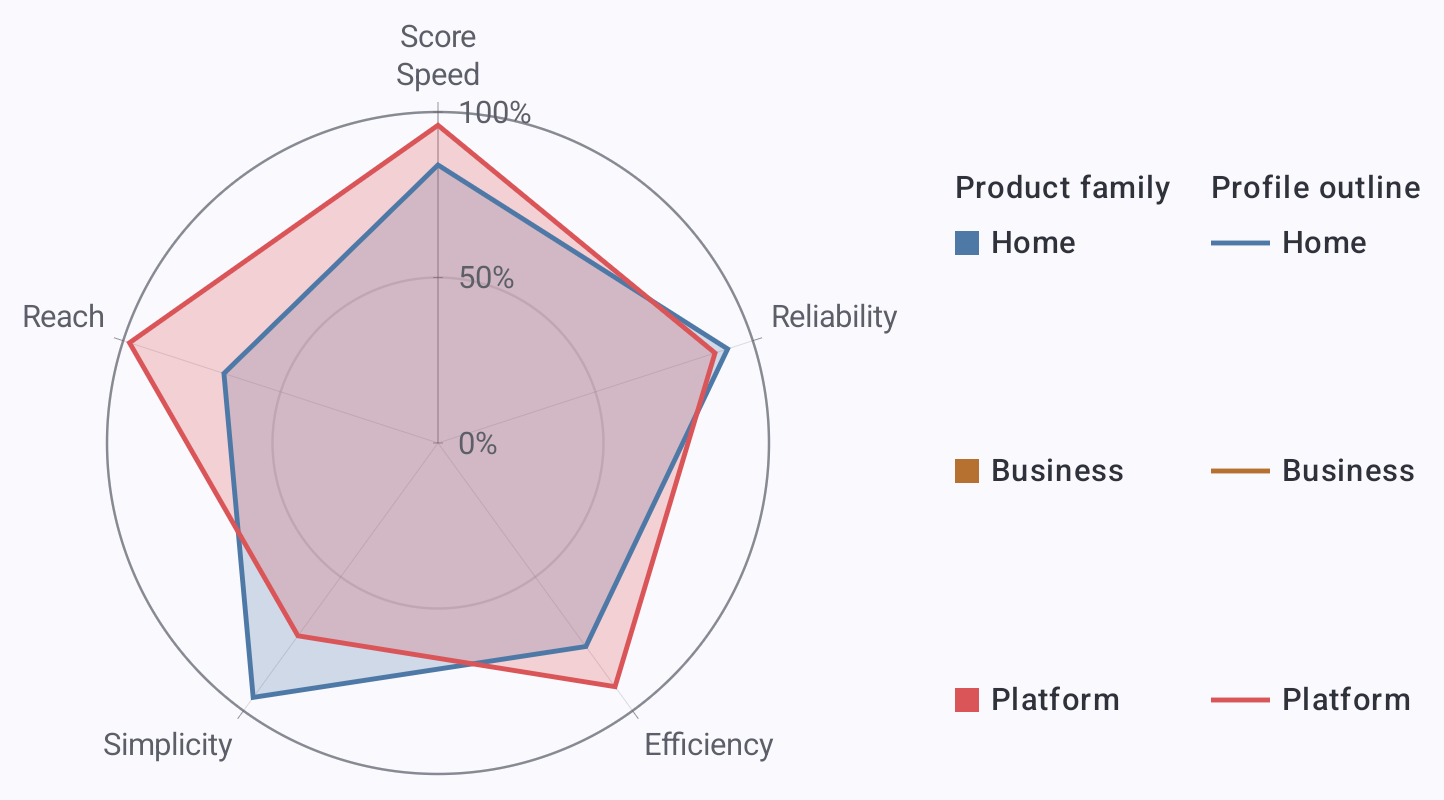
<a href="../assets/screenshots/chart-gallery/radar.png"><img src="../assets/screenshots/chart-gallery/radar.png" width="1444" height="800" loading="lazy" alt="Radar: Compare capability profiles around a shared radial scale." style="display:block;width:100%;height:auto;border:1px solid GrayText;border-radius:8px;box-sizing:border-box;"></a>
<figcaption style="margin-top:8px;"><strong>Radar</strong> · Compare capability profiles around a shared radial scale.</figcaption>
</figure>
<figure style="margin:0;min-width:0;">
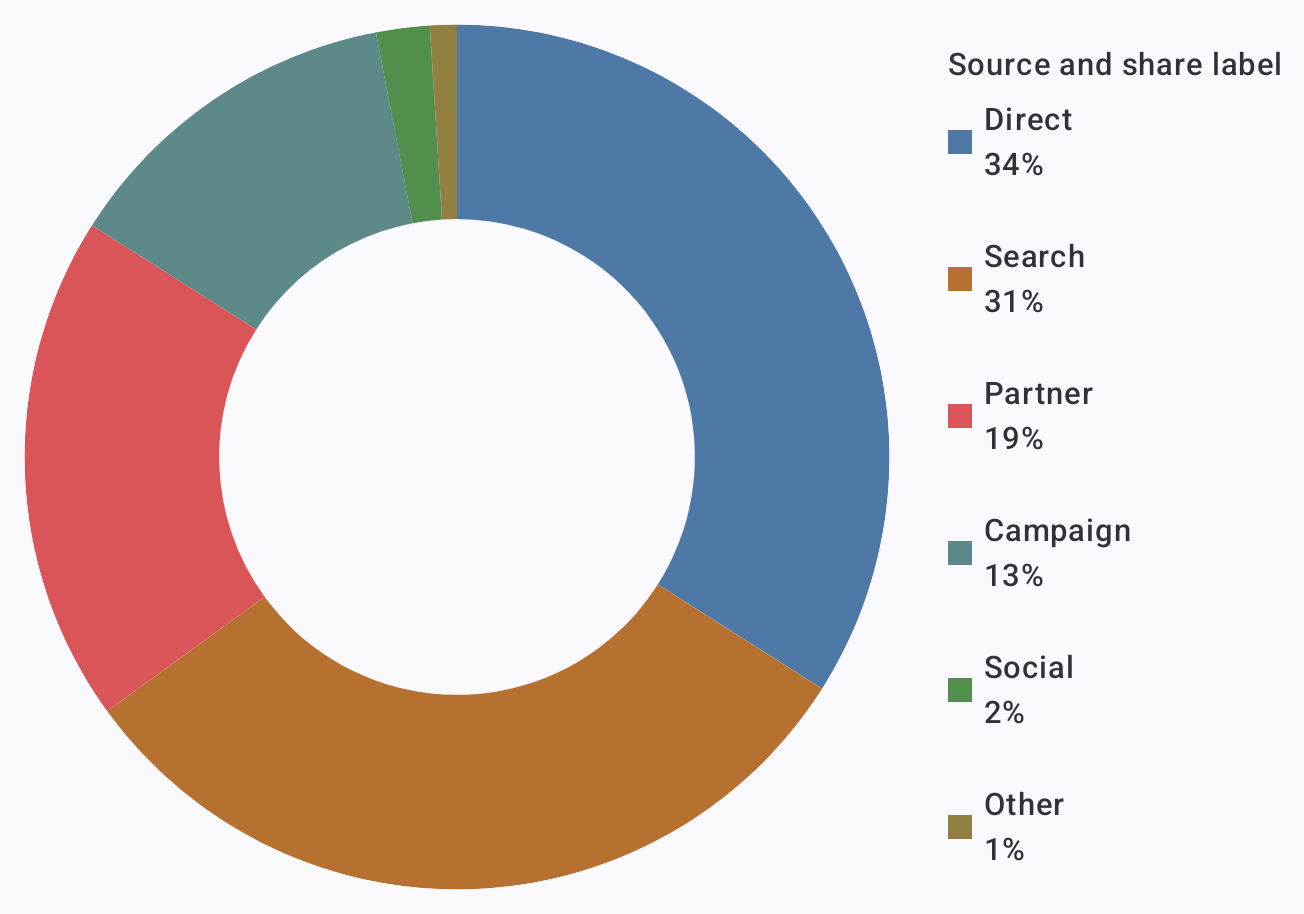
<a href="../assets/screenshots/chart-gallery/donut.png"><img src="../assets/screenshots/chart-gallery/donut.png" width="1304" height="914" loading="lazy" alt="Donut: Compare traffic shares with source labels and percentages." style="display:block;width:100%;height:auto;border:1px solid GrayText;border-radius:8px;box-sizing:border-box;"></a>
<figcaption style="margin-top:8px;"><strong>Donut</strong> · Compare traffic shares with source labels and percentages.</figcaption>
</figure>
<figure style="margin:0;min-width:0;">
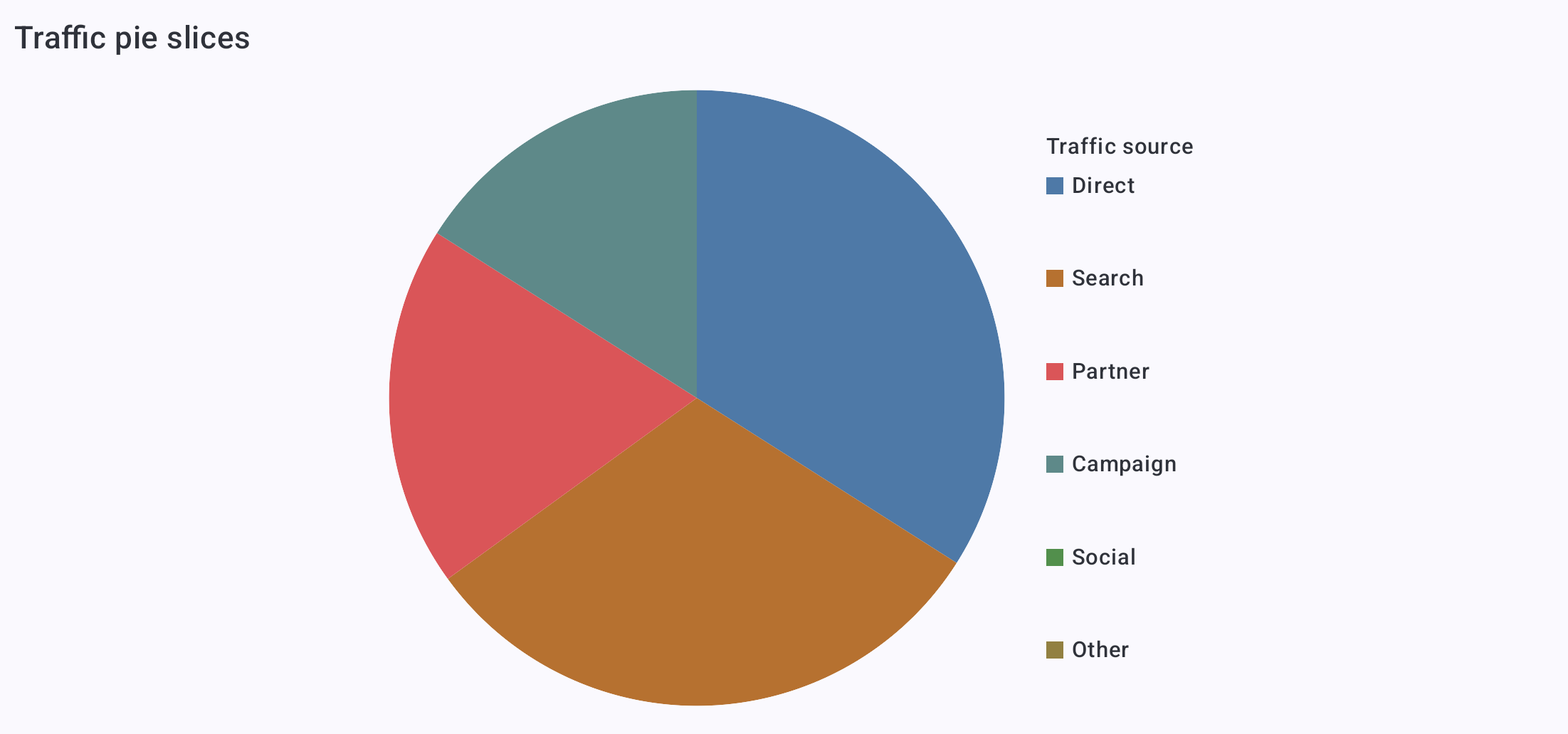
<a href="../assets/screenshots/chart-gallery/pie.png"><img src="../assets/screenshots/chart-gallery/pie.png" width="2203" height="1031" loading="lazy" alt="Pie: Show each traffic source’s share of the whole." style="display:block;width:100%;height:auto;border:1px solid GrayText;border-radius:8px;box-sizing:border-box;"></a>
<figcaption style="margin-top:8px;"><strong>Pie</strong> · Show each traffic source’s share of the whole.</figcaption>
</figure>
</div>

<h3 id="maps-and-relationships" style="font-size:1.5rem;line-height:1.2;margin:1.5em 0 0.65em;">Maps and relationships</h3>

<div style="display:grid;grid-template-columns:repeat(auto-fit,minmax(min(100%,360px),1fr));gap:24px;align-items:start;">
<figure style="margin:0;min-width:0;">
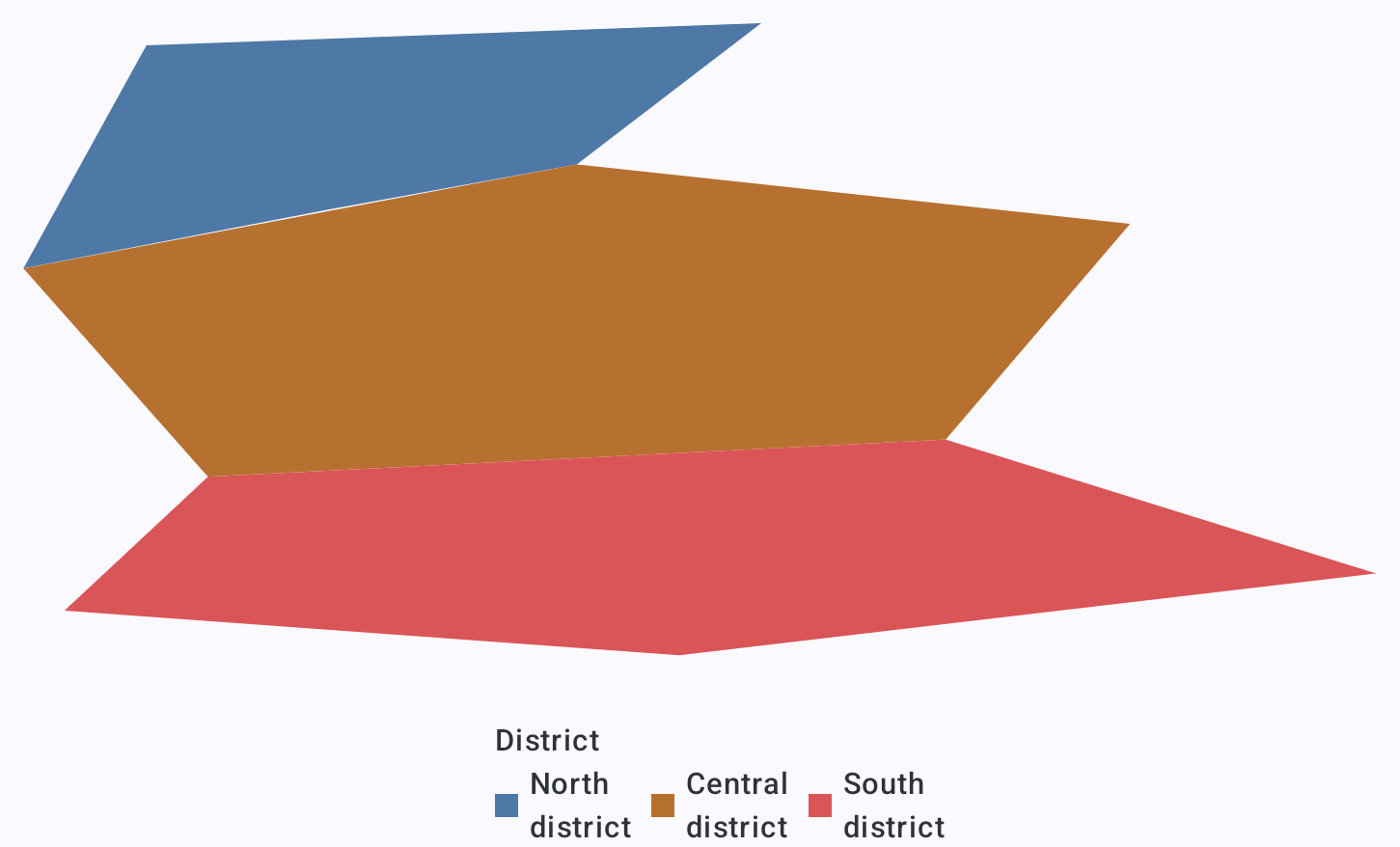
<a href="../assets/screenshots/chart-gallery/projected-map.png"><img src="../assets/screenshots/chart-gallery/projected-map.png" width="1451" height="878" loading="lazy" alt="Projected map: Draw fictional district boundaries from supplied coordinates." style="display:block;width:100%;height:auto;border:1px solid GrayText;border-radius:8px;box-sizing:border-box;"></a>
<figcaption style="margin-top:8px;"><strong>Projected map</strong> · Draw fictional district boundaries from supplied coordinates.</figcaption>
</figure>
<figure style="margin:0;min-width:0;">
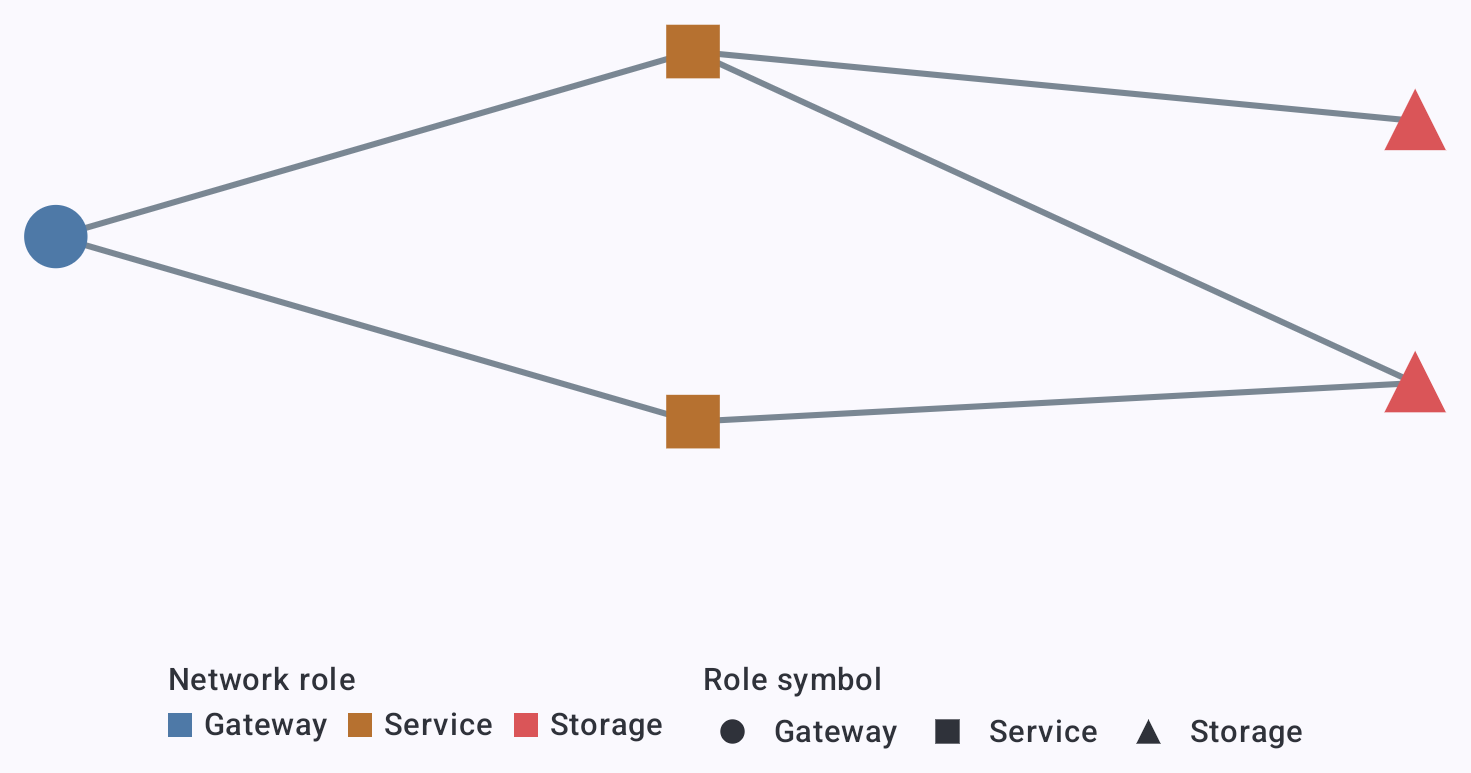
<a href="../assets/screenshots/chart-gallery/network.png"><img src="../assets/screenshots/chart-gallery/network.png" width="1471" height="773" loading="lazy" alt="Network: Connect gateway, service, and storage nodes." style="display:block;width:100%;height:auto;border:1px solid GrayText;border-radius:8px;box-sizing:border-box;"></a>
<figcaption style="margin-top:8px;"><strong>Network</strong> · Connect gateway, service, and storage nodes.</figcaption>
</figure>
<figure style="margin:0;min-width:0;">
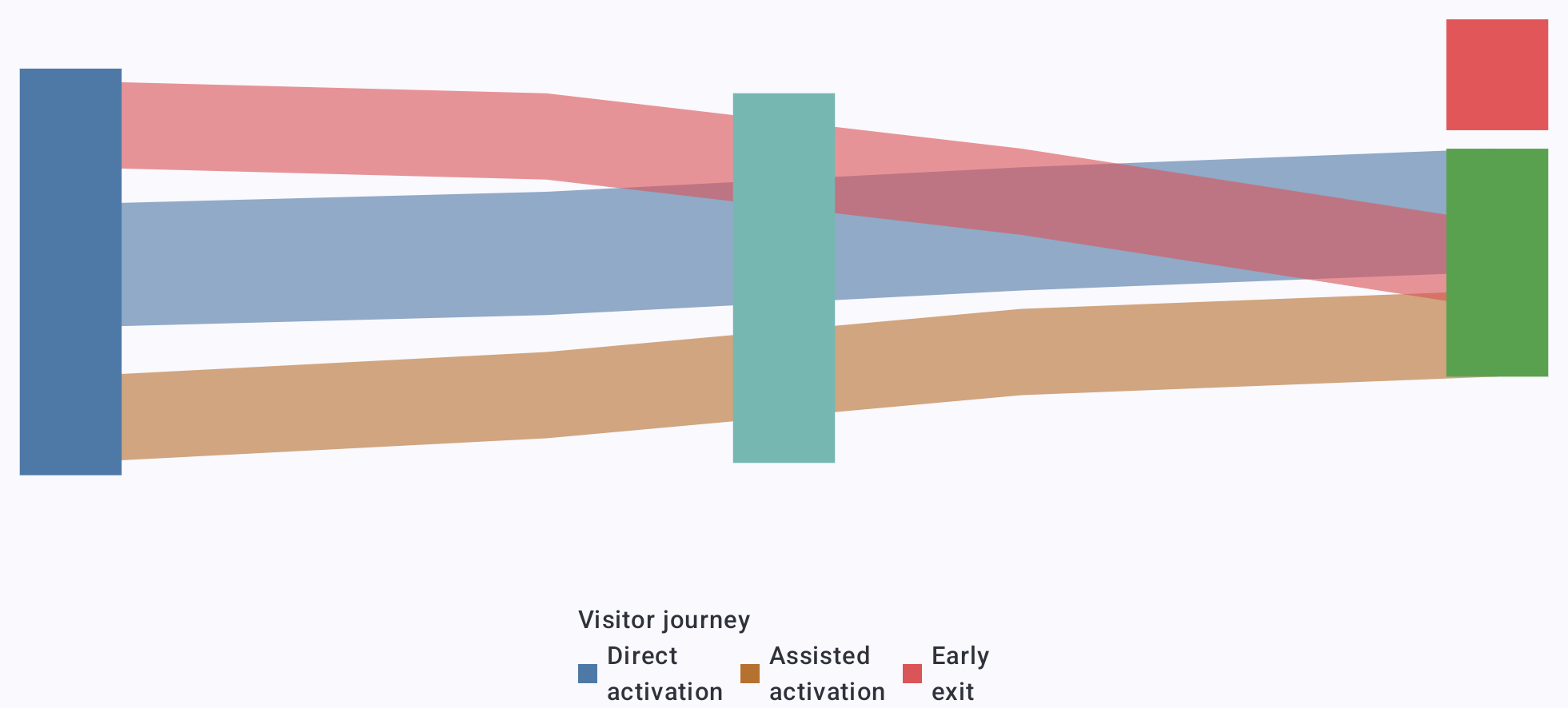
<a href="../assets/screenshots/chart-gallery/sankey-flow.png"><img src="../assets/screenshots/chart-gallery/sankey-flow.png" width="1961" height="886" loading="lazy" alt="Sankey flow: Trace visitor journeys with ribbons sized by flow." style="display:block;width:100%;height:auto;border:1px solid GrayText;border-radius:8px;box-sizing:border-box;"></a>
<figcaption style="margin-top:8px;"><strong>Sankey flow</strong> · Trace visitor journeys with ribbons sized by flow.</figcaption>
</figure>
</div>

<h2 id="3d-charts" style="font-size:2rem;line-height:1.2;margin:1.5em 0 0.65em;">3D charts</h2>

<div style="display:grid;grid-template-columns:repeat(auto-fit,minmax(min(100%,360px),1fr));gap:24px;align-items:start;">
<figure style="margin:0;min-width:0;">
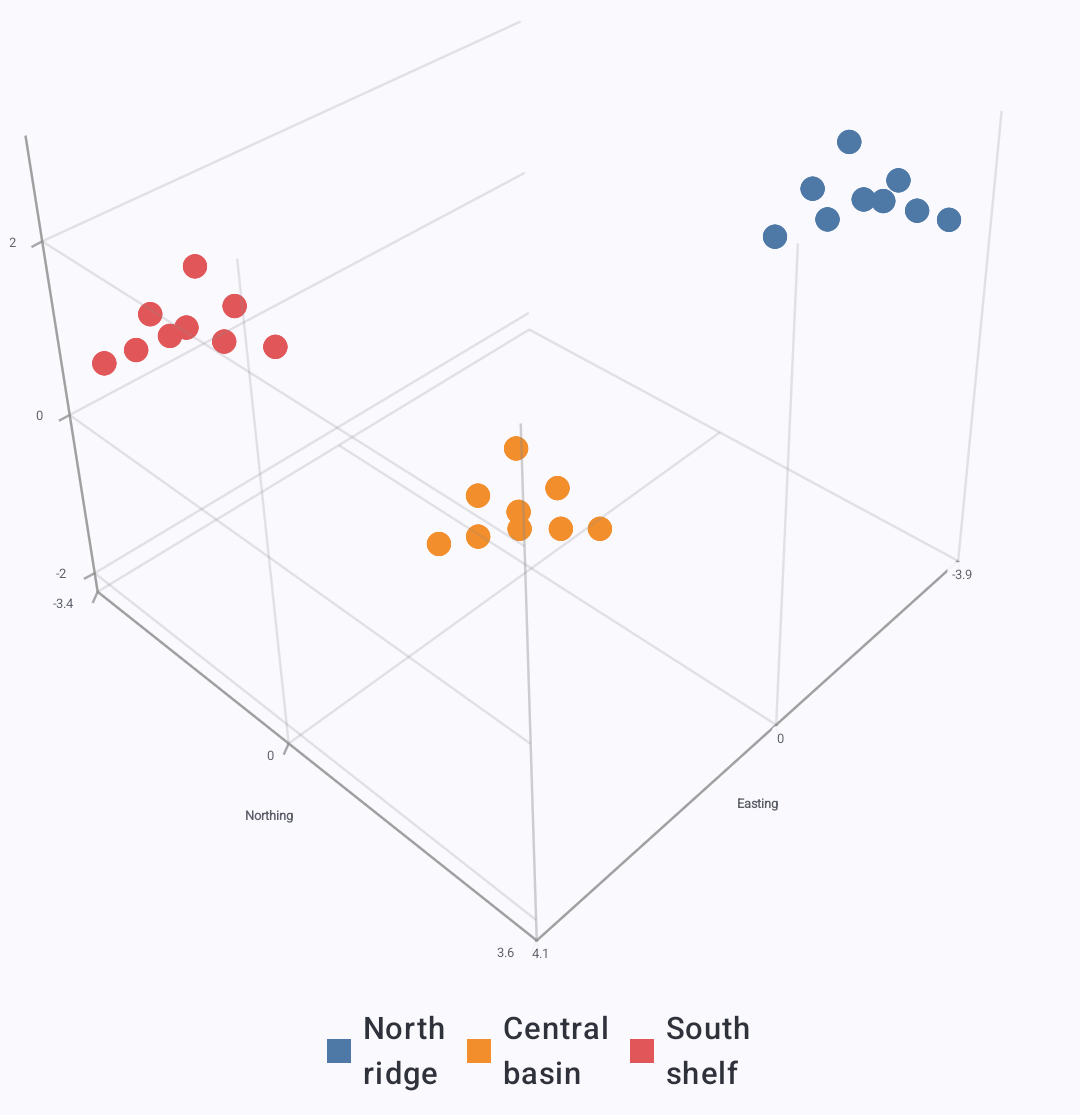
<a href="../assets/screenshots/chart-gallery/3d-scatter.png"><img src="../assets/screenshots/chart-gallery/3d-scatter.png" width="1080" height="1115" loading="lazy" alt="Scatter: Compare spatial sample clusters in three dimensions." style="display:block;width:100%;height:auto;border:1px solid GrayText;border-radius:8px;box-sizing:border-box;"></a>
<figcaption style="margin-top:8px;"><strong>Scatter</strong> · Compare spatial sample clusters in three dimensions.</figcaption>
</figure>
<figure style="margin:0;min-width:0;">
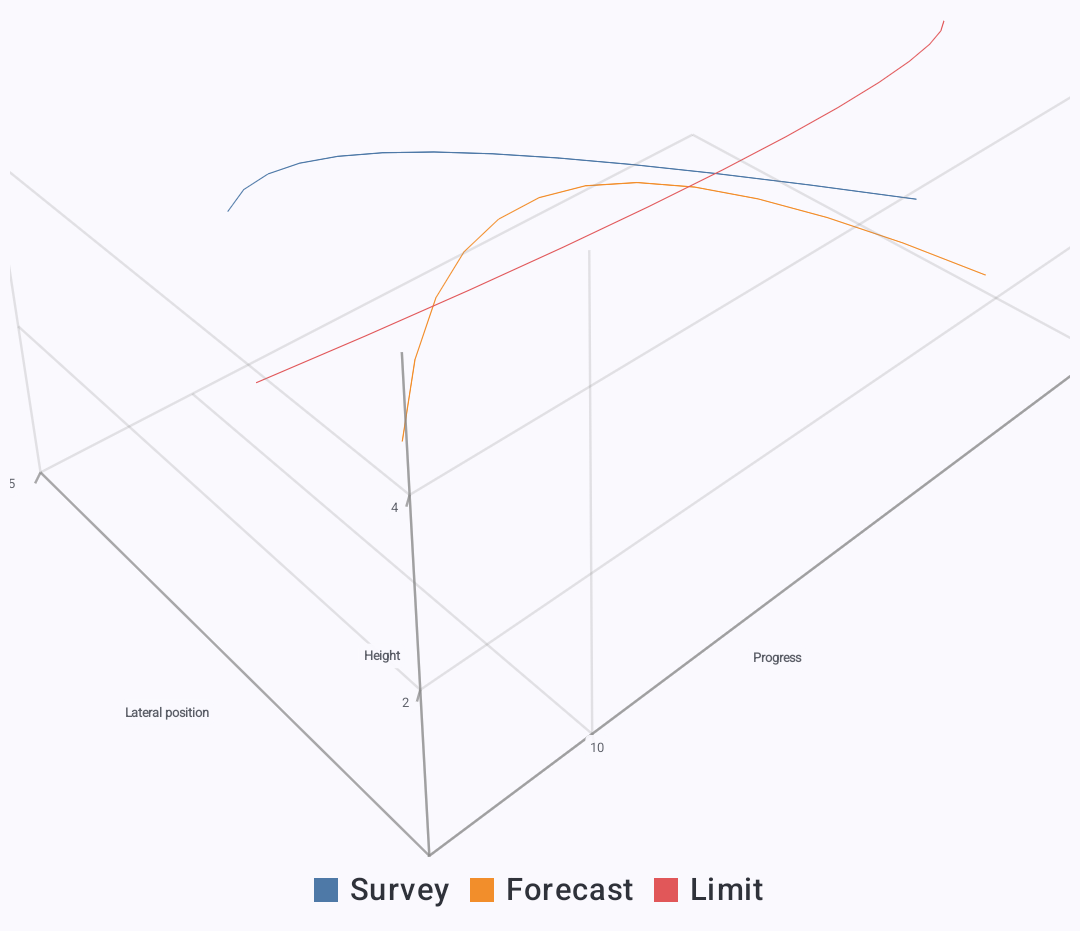
<a href="../assets/screenshots/chart-gallery/3d-trajectories.png"><img src="../assets/screenshots/chart-gallery/3d-trajectories.png" width="1080" height="931" loading="lazy" alt="Trajectories: Trace multiple paths through three-dimensional space." style="display:block;width:100%;height:auto;border:1px solid GrayText;border-radius:8px;box-sizing:border-box;"></a>
<figcaption style="margin-top:8px;"><strong>Trajectories</strong> · Trace multiple paths through three-dimensional space.</figcaption>
</figure>
<figure style="margin:0;min-width:0;">
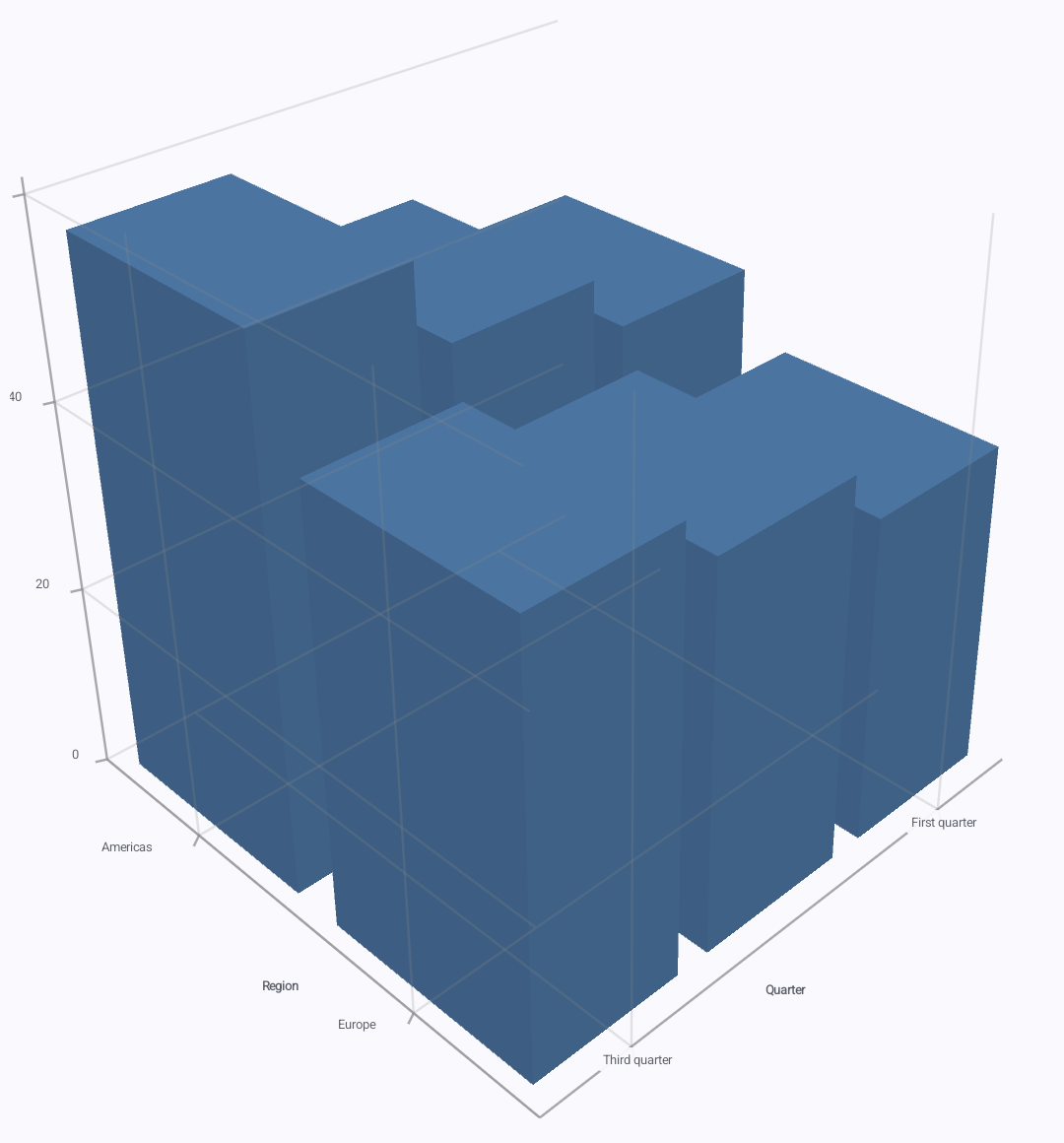
<a href="../assets/screenshots/chart-gallery/3d-columns.png"><img src="../assets/screenshots/chart-gallery/3d-columns.png" width="1080" height="1160" loading="lazy" alt="Columns: Compare values as columns across two horizontal dimensions." style="display:block;width:100%;height:auto;border:1px solid GrayText;border-radius:8px;box-sizing:border-box;"></a>
<figcaption style="margin-top:8px;"><strong>Columns</strong> · Compare values as columns across two horizontal dimensions.</figcaption>
</figure>
<figure style="margin:0;min-width:0;">
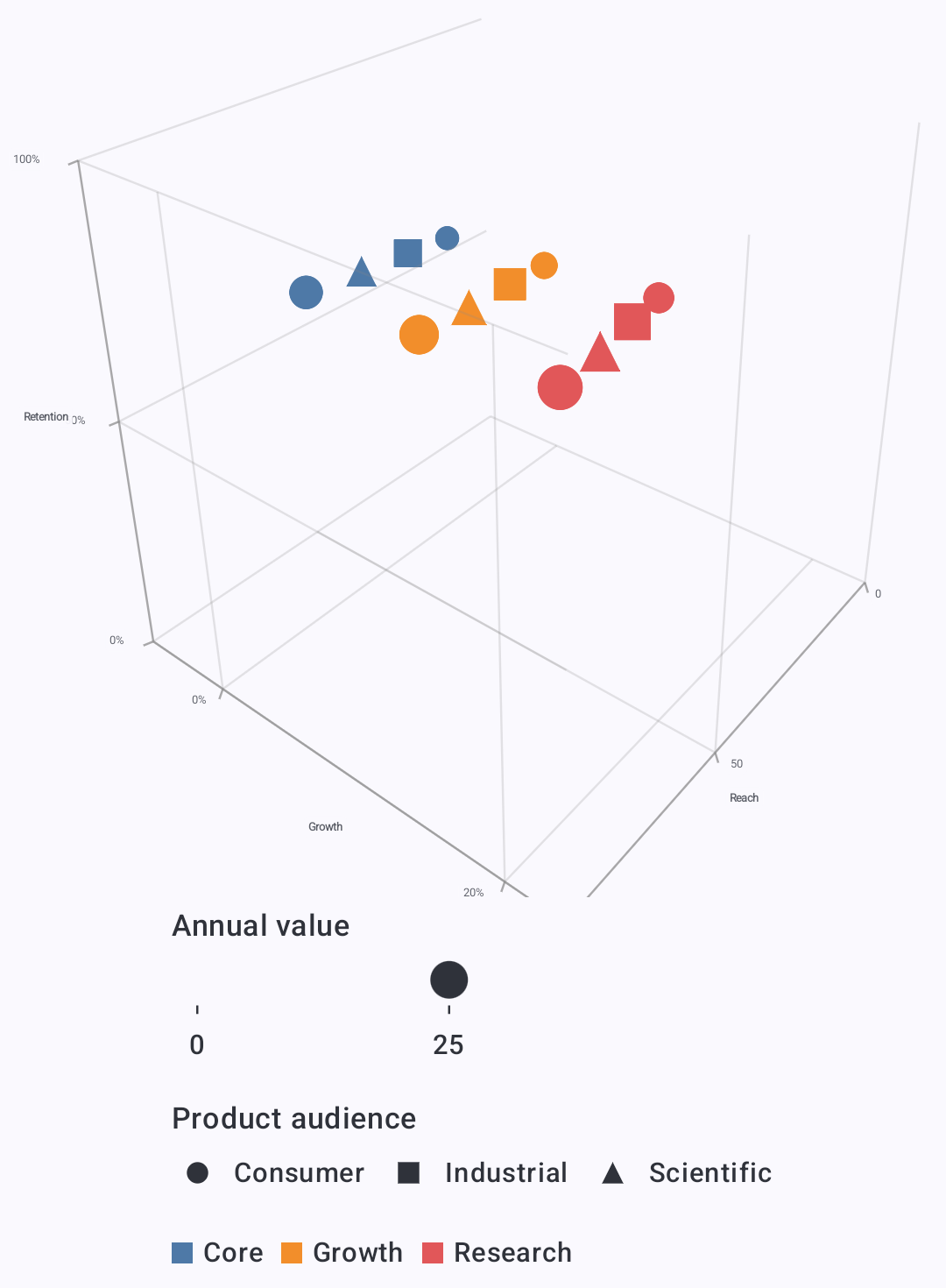
<a href="../assets/screenshots/chart-gallery/3d-bubbles.png"><img src="../assets/screenshots/chart-gallery/3d-bubbles.png" width="1080" height="1470" loading="lazy" alt="Bubbles: Combine position, bubble size, color, and shape." style="display:block;width:100%;height:auto;border:1px solid GrayText;border-radius:8px;box-sizing:border-box;"></a>
<figcaption style="margin-top:8px;"><strong>Bubbles</strong> · Combine position, bubble size, color, and shape.</figcaption>
</figure>
<figure style="margin:0;min-width:0;">
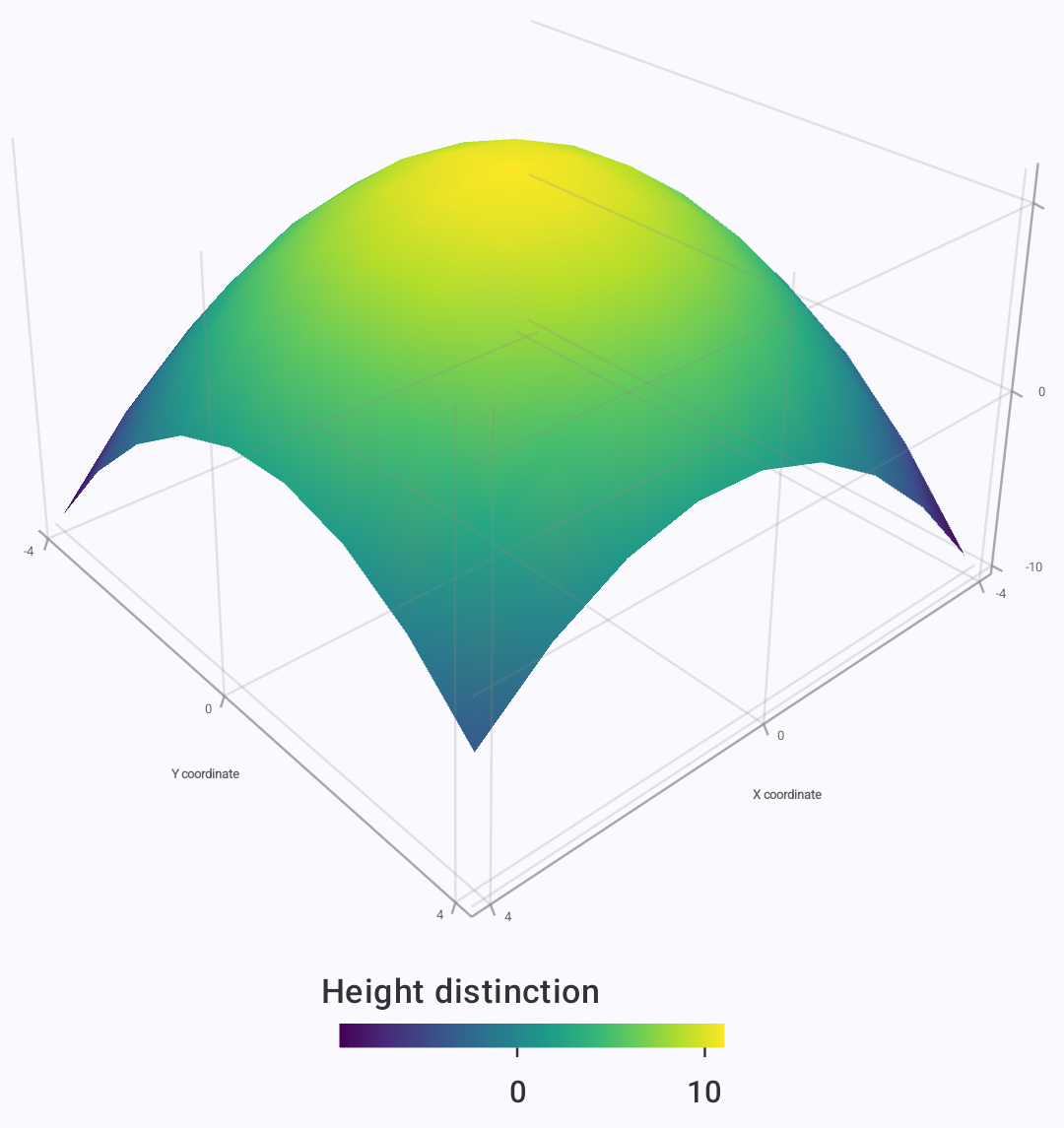
<a href="../assets/screenshots/chart-gallery/3d-height-map.png"><img src="../assets/screenshots/chart-gallery/3d-height-map.png" width="1080" height="1145" loading="lazy" alt="Height map: Reveal terrain height through surface geometry and color." style="display:block;width:100%;height:auto;border:1px solid GrayText;border-radius:8px;box-sizing:border-box;"></a>
<figcaption style="margin-top:8px;"><strong>Height map</strong> · Reveal terrain height through surface geometry and color.</figcaption>
</figure>
<figure style="margin:0;min-width:0;">
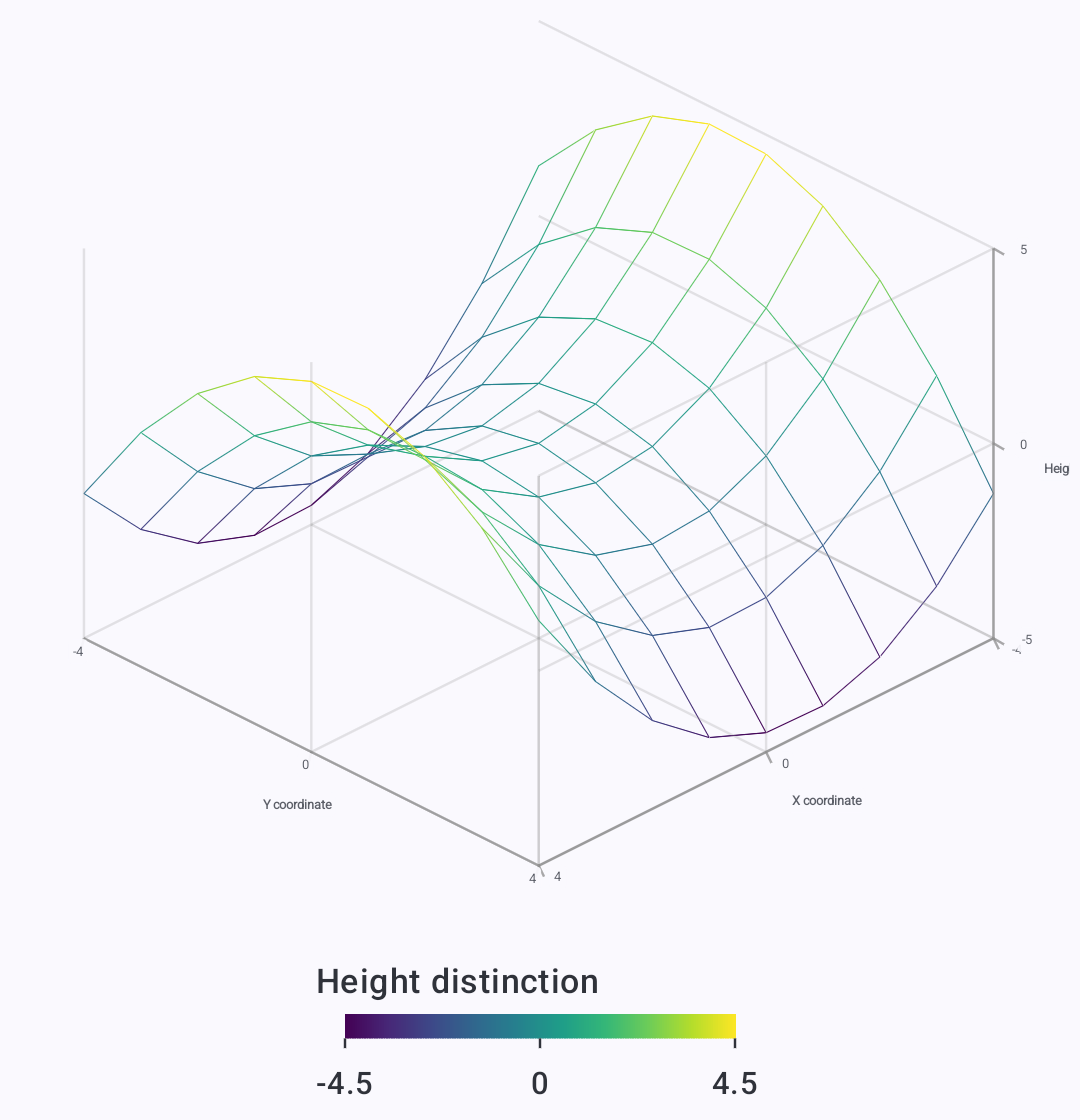
<a href="../assets/screenshots/chart-gallery/3d-wireframe.png"><img src="../assets/screenshots/chart-gallery/3d-wireframe.png" width="1080" height="1120" loading="lazy" alt="Wireframe: Show the structure of a saddle surface as a mesh." style="display:block;width:100%;height:auto;border:1px solid GrayText;border-radius:8px;box-sizing:border-box;"></a>
<figcaption style="margin-top:8px;"><strong>Wireframe</strong> · Show the structure of a saddle surface as a mesh.</figcaption>
</figure>
<figure style="margin:0;min-width:0;">
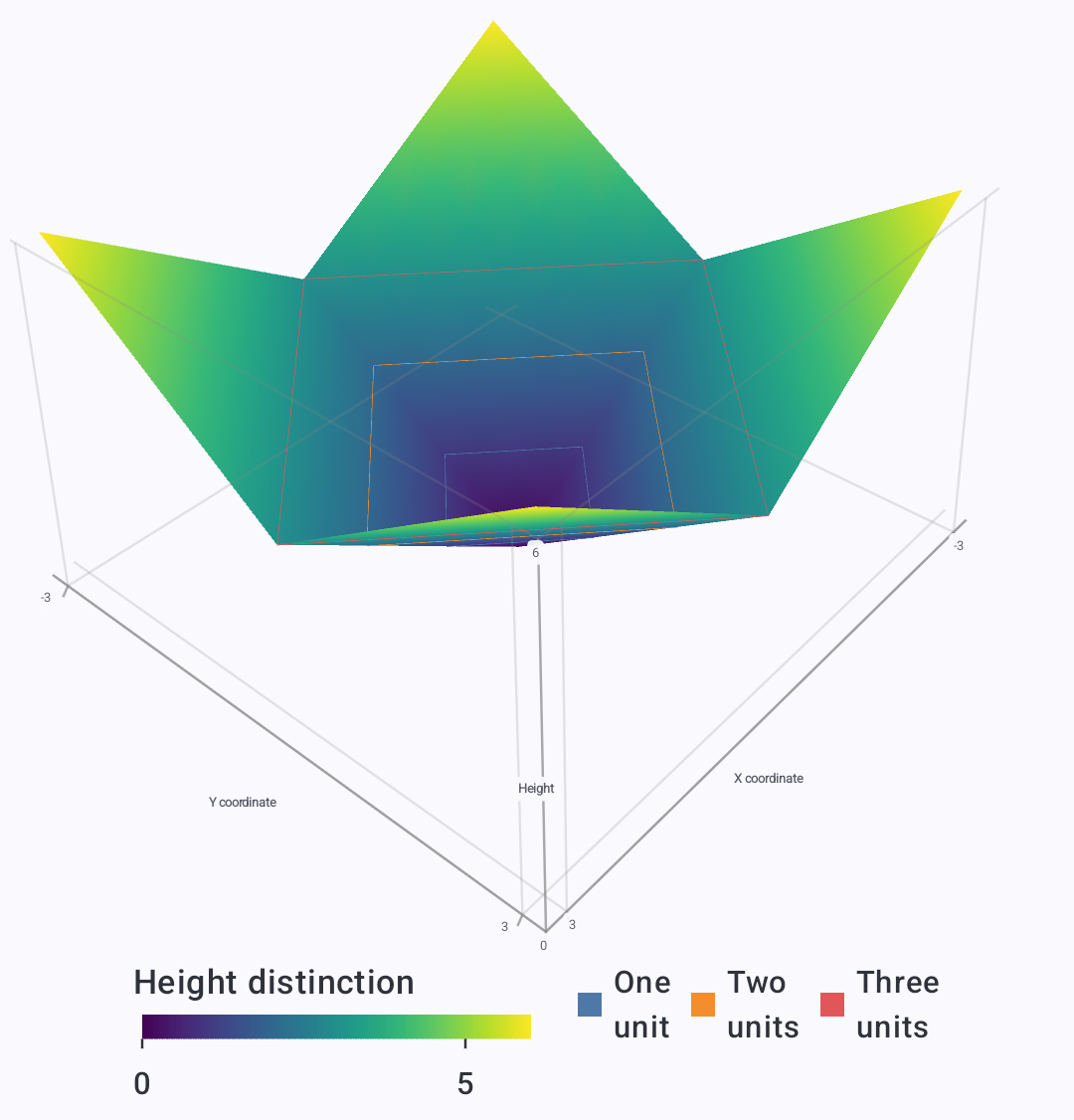
<a href="../assets/screenshots/chart-gallery/3d-surface-contours.png"><img src="../assets/screenshots/chart-gallery/3d-surface-contours.png" width="1080" height="1126" loading="lazy" alt="Surface contours: Overlay contour paths on a colored surface." style="display:block;width:100%;height:auto;border:1px solid GrayText;border-radius:8px;box-sizing:border-box;"></a>
<figcaption style="margin-top:8px;"><strong>Surface contours</strong> · Overlay contour paths on a colored surface.</figcaption>
</figure>
<figure style="margin:0;min-width:0;">
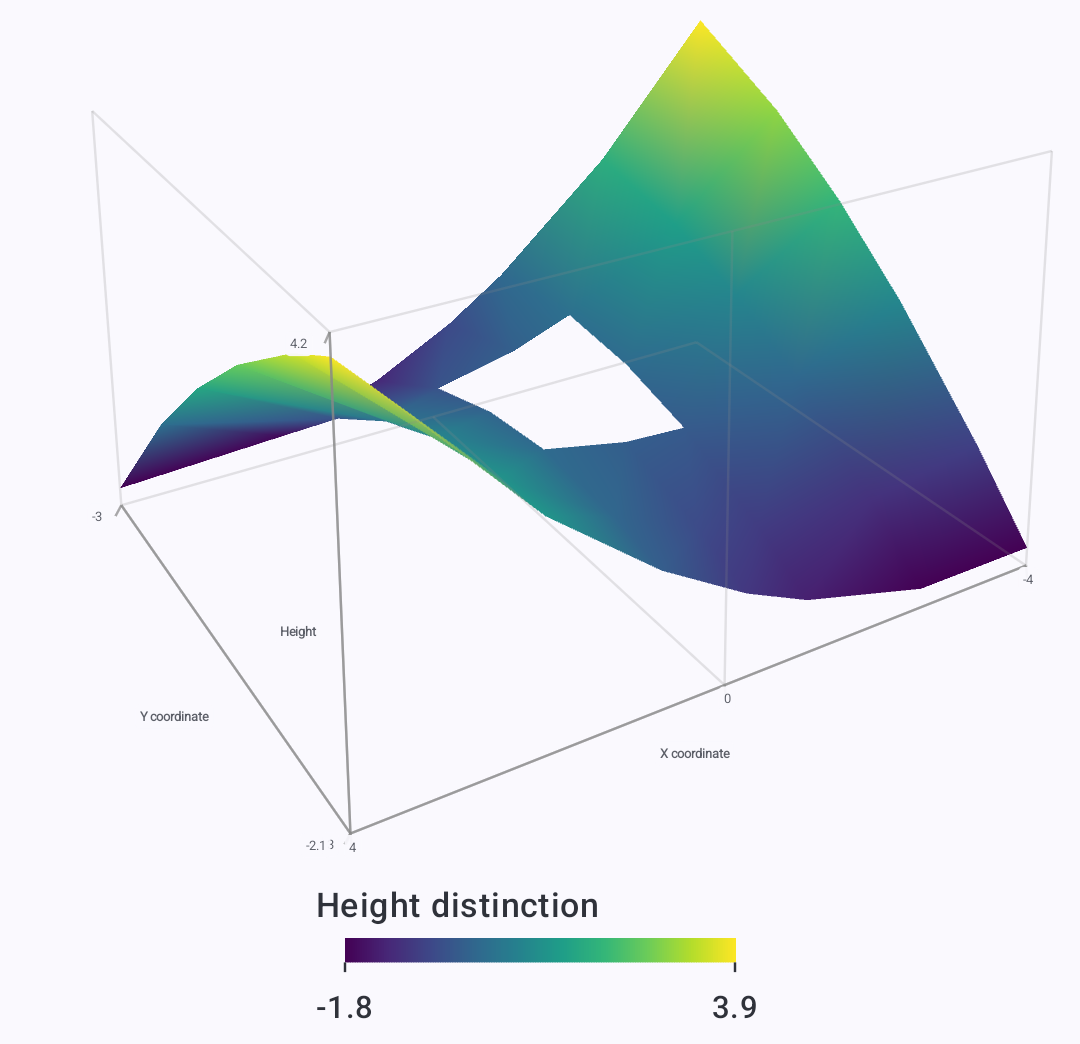
<a href="../assets/screenshots/chart-gallery/3d-nonuniform-surface.png"><img src="../assets/screenshots/chart-gallery/3d-nonuniform-surface.png" width="1080" height="1044" loading="lazy" alt="Nonuniform surface: Build a surface from unevenly spaced samples." style="display:block;width:100%;height:auto;border:1px solid GrayText;border-radius:8px;box-sizing:border-box;"></a>
<figcaption style="margin-top:8px;"><strong>Nonuniform surface</strong> · Build a surface from unevenly spaced samples.</figcaption>
</figure>
<figure style="margin:0;min-width:0;">
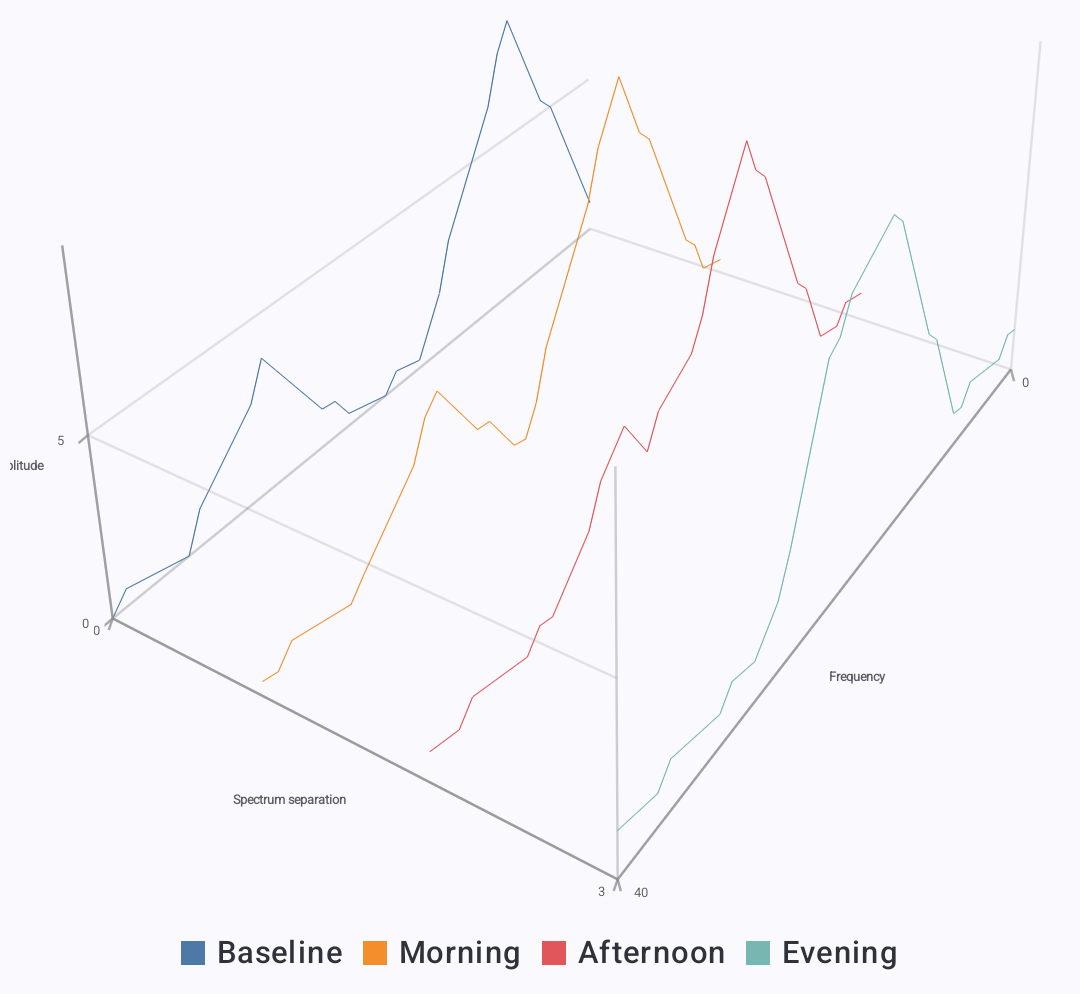
<a href="../assets/screenshots/chart-gallery/3d-waterfall-spectra.png"><img src="../assets/screenshots/chart-gallery/3d-waterfall-spectra.png" width="1080" height="994" loading="lazy" alt="Waterfall spectra: Separate spectrum traces along a third axis." style="display:block;width:100%;height:auto;border:1px solid GrayText;border-radius:8px;box-sizing:border-box;"></a>
<figcaption style="margin-top:8px;"><strong>Waterfall spectra</strong> · Separate spectrum traces along a third axis.</figcaption>
</figure>
<figure style="margin:0;min-width:0;">
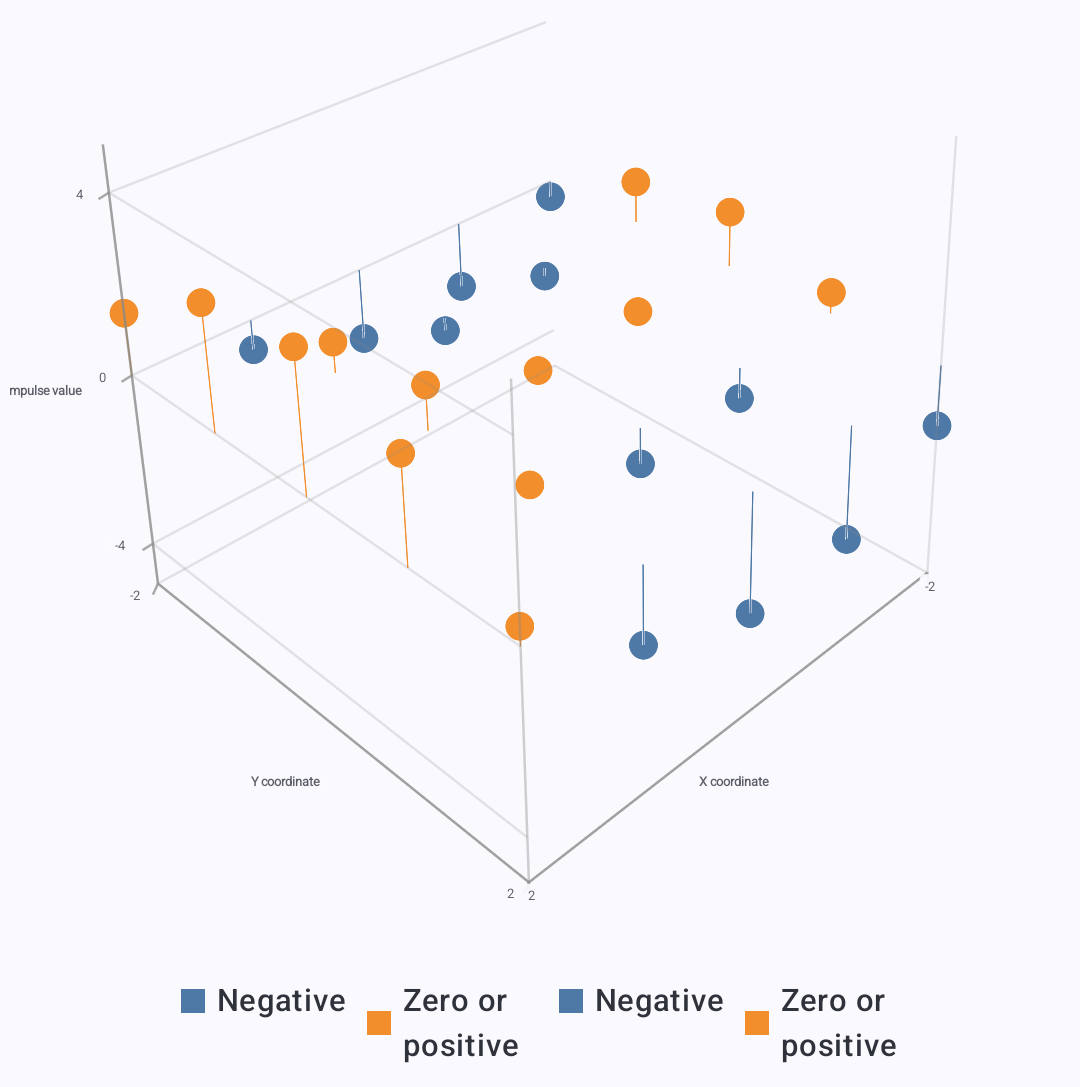
<a href="../assets/screenshots/chart-gallery/3d-impulse-stems.png"><img src="../assets/screenshots/chart-gallery/3d-impulse-stems.png" width="1080" height="1087" loading="lazy" alt="Impulse stems: Show positive and negative impulses with stems and tips." style="display:block;width:100%;height:auto;border:1px solid GrayText;border-radius:8px;box-sizing:border-box;"></a>
<figcaption style="margin-top:8px;"><strong>Impulse stems</strong> · Show positive and negative impulses with stems and tips.</figcaption>
</figure>
<figure style="margin:0;min-width:0;">
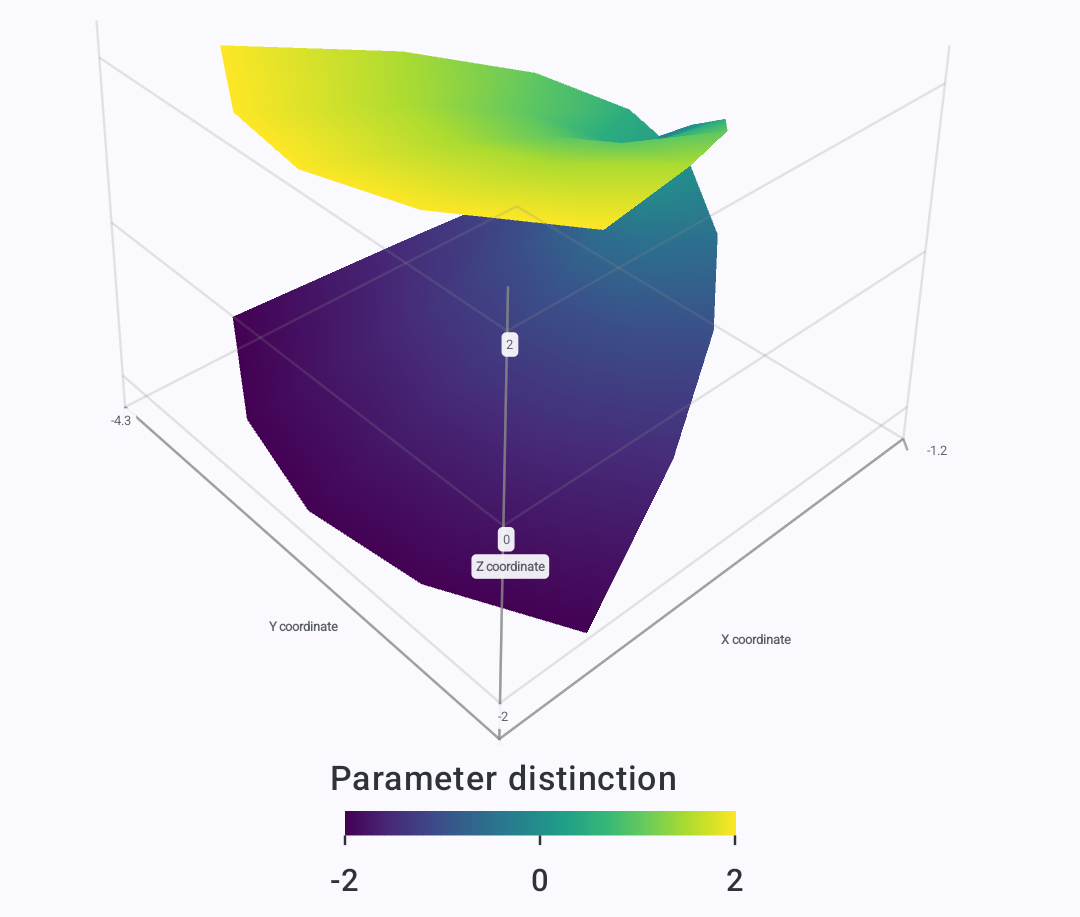
<a href="../assets/screenshots/chart-gallery/3d-parametric-surface.png"><img src="../assets/screenshots/chart-gallery/3d-parametric-surface.png" width="1080" height="917" loading="lazy" alt="Parametric surface: Visualize a mathematical surface from supplied coordinates." style="display:block;width:100%;height:auto;border:1px solid GrayText;border-radius:8px;box-sizing:border-box;"></a>
<figcaption style="margin-top:8px;"><strong>Parametric surface</strong> · Visualize a mathematical surface from supplied coordinates.</figcaption>
</figure>
<figure style="margin:0;min-width:0;">
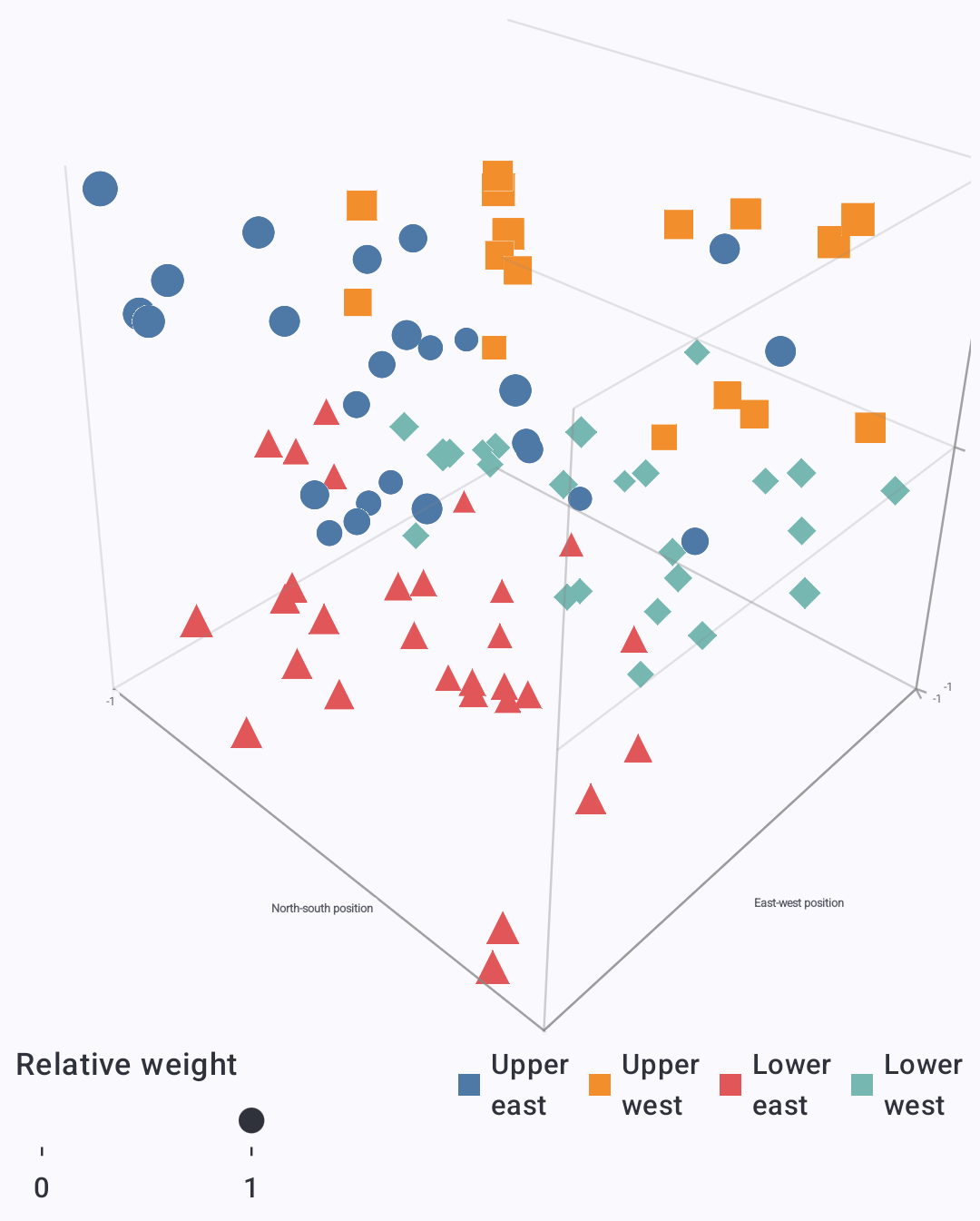
<a href="../assets/screenshots/chart-gallery/3d-point-cloud.png"><img src="../assets/screenshots/chart-gallery/3d-point-cloud.png" width="1080" height="1345" loading="lazy" alt="Point cloud: Compare a dense collection of points with size, shape, and color." style="display:block;width:100%;height:auto;border:1px solid GrayText;border-radius:8px;box-sizing:border-box;"></a>
<figcaption style="margin-top:8px;"><strong>Point cloud</strong> · Compare a dense collection of points with size, shape, and color.</figcaption>
</figure>
</div>

Build your own with [Developing Apps](developing-apps.md#charts-in-2d-and-3d) and the [2D](../reference/charts/2d.md) and [3D chart references](../reference/charts/3d.md). For chart navigation, see [Charts and visual results](visualization.md).